






โทรศัพท์สำหรับสร้างพร็อกซีมือถือ





| Brand | Model | Version | Comment |
| МТС | Smart Sprint 4G | - | A lagging weak phone. Perhaps, it can’t withstand such loads. But the proxies launch properly |
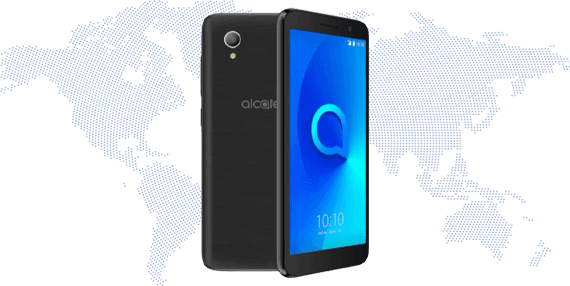
| Alcatel | 5033E | 11 | Can't install root access, Voice Assistant is not active |
| Alcatel | 5033F | 11 | Can't install root access, Digital Assistant is not active, Macrodroid can't be set up |
| Alcatel | 5033Y | 11 | Can't install root access, Digital Assistant is not active, Macrodroid can't be set up |
| Alcatel | 5045d | - | Didn’t work very well for the user |
| Asus | Z00ED | 6.0.1 | Proxies can be launched, but root access won't be able to toggle Airplane mode |
| Blackview | BV9100 | 9 | Can't install OpenVPN |
| Digma | LINX A400 3G LT4001PG | - | The model is too outdated |
| Digma | LINX ALFA 3G LT4047MG | 8.1.0 | Proxies constantly toggle off. The program disappears from the list of running apps. Glitchy phone |
| Fly | FS458 | 6 | Proxies don’t launch properly |
| Pixel 3 | - | Wi-Fi works through proxies, while mobile Internet doesn’t | |
| Walleye | 5.1.1 | - | |
| Huawei | ATU-L21 | 8 | WiFi split options doesn't work |
| Huawei | COL-L29 | 9 | Proxy installation is successful but they occasionally turn off. Perhaps, the user failed to toggle off all energy-saving modes for the proxies to work properly |
| Huawei | JAT-LX1 | - | TLS issues |
| Huawei | RNE-L21 | 8 | Proxy installation is successful but they occasionally turn off. Perhaps, the user failed to toggle off all energy-saving modes for the proxies to work properly |
| Lenovo | Vibe k5 | - | User-tested. Starts randomly glitching out. Rooting guide: on request to our Tech support |
| LG | K10 | - | Root |
| LG | LM-X210 | 7.1.2 | Proxies don’t launch properly. TLS, HTTP errors |
| Meizu | M5 | 6 | Proxies are connected but don't work |
| Meizu | M5c Note | 6 | Proxies don’t launch properly |
| Meizu | M6 Note | 7.1.2 | Proxies don’t launch properly |
| Meizu | U10 | 6 | In the Macrodroid, it is not possible to fix the Airplane mode button toggle. And you can't change IP address via the voice assistant |
| Nokia | c1 Plus | - | Proxies don’t launch properly |
| Samsung | GT-I9500 | 5.0.1 | Proxies launch but don’t actually work. The problem is the DNS. The model is too antiquated |
| Samsung | GT-I9505 | - | - |
| Samsung | SCH-I545 | 5.0.1 | Proxies launch but don’t actually work |
| Samsung | SM-A207F | 11 | WiFi split options doesn't work |
| Samsung | SM-A300FU | 6 | Root access and Voice Assistant can't toggle airplane mode, Macrodroid can't be set up |
| Samsung | SM-A515F | 10 | The phone cuts the speed through the proxy down to 0.2 Mbps |
| Samsung | SM-G925I | 7 | - |
| Samsung | SM-J500M | 6.0.1 | Wi-Fi split option doesn't work |
| Samsung | SM-N900 | 5 | Proxies don’t launch properly |
| Samsung | SM-N900V | 5 | DNS issues |
| Techno Mobile Limited | BC3 | 10 | - |
| TeXet | TM-5076 | - | No control over VPN |
| Ulefone | Note 13P | 11 | OpenVPN crashes |
| Ulefone | Note 14 | 12 | OpenVPN crashes |
| Xiaomi | 21081111RG | 11 | WiFi split options doesn't work |
| Xiaomi | 220733SFG | 12 | Digital Assistant crashes |
| Xiaomi | 23028RNCAG | 13 | Digital Assistant crashes |
| Xiaomi | Mi Max | - | - |
| Xiaomi | Redmi 3s | - | - |
| Xiaomi | Redmi 4 | 6.0.1 | Proxies launch, but occasionally stop working |
| Xiaomi | Redmi 6 | 9 | Proxies launch, work, but do not change IP even after a long delay in airplane mode |
| Xiaomi | Redmi Go | 8.1.0 | Voice Assistant crashes after reloading reboot |
| Xiaomi | Redmi Note 3 | 5.0.2 | Proxies don’t launch properly |
| Xiaomi | Redmi Note 5A | 7.1.2 | Proxies don’t launch properly |

คุณสามารถใช้โปร็กซี่มือถือเพื่ออะไรได้บ้าง?
โปร็กซี่มือถือสามารถใช้สำหรับวัตถุประสงค์ต่างๆ เช่น การเก็บข้อมูลจากเว็บ, การจัดการโซเชียลมีเดีย, การตรวจสอบโฆษณา, การวิจัยตลาด, และการรักษาความเป็นส่วนตัวและความปลอดภัยออนไลน์.
ฉันต้องการอะไรบ้างเพื่อเริ่มใช้งานโพรกซี่มือถือ?
เพื่อเริ่มใช้งานโพรกซี่มือถือของเรา คุณต้องการ อุปกรณ์ Android (สมาร์ทโฟน/แท็บเล็ต) การเชื่อมต่อเครือข่ายมือถือ (ซิมการ์ด) เครื่องมือหรือซอฟต์แวร์การจัดการโพรกซี่เพื่อตั้งค่าและใช้งานโพรกซี่ และต้องติดตั้งแอปพลิเคชัน iProxy บนอุปกรณ์ Android ของคุณ
พร็อกซีมือถือของคุณรองรับหลายตำแหน่งหรือไม่?
iProxy ช่วยให้คุณสร้างพร็อกซีมือถือจากอุปกรณ์ของคุณได้ แต่ตำแหน่งทางภูมิศาสตร์จะเหมือนกับตำแหน่งจริงของอุปกรณ์ของคุณเสมอ หากคุณต้องการพร็อกซีจากตำแหน่งอื่นเพื่อหลีกเลี่ยงการจำกัดตามตำแหน่งทางภูมิศาสตร์ เราขอแนะนำให้ติดต่อ ผู้ขายที่เชื่อถือได้ ของเรา
ฉันสามารถเปลี่ยน IP ได้บ่อยแค่ไหน?
ความถี่ที่คุณสามารถเปลี่ยน IP ของคุณได้ขึ้นอยู่กับผู้ให้บริการอินเทอร์เน็ตและการตั้งค่าเครือข่ายของคุณ บริการของเราให้วิธีการหมุนเวียนที่อยู่ IP หลายวิธี, ดังนั้นคุณสามารถใช้วิธีการที่เหมาะสมที่สุดสำหรับคุณ
ฉันสามารถใช้การเชื่อมต่อกี่รายการสำหรับหนึ่งโปรกซี่ได้?
คุณสามารถสร้างการเข้าถึงโปรกซี่ได้สูงสุด 15 รายการสำหรับ 1 อุปกรณ์ อย่างไรก็ตามสำหรับการดำเนินการพร้อมกันเช่น เช่น 5 ไอพีที่ไม่ซ้ำกันสำหรับ 5 โปรไฟล์ คุณจะต้องใช้ 5 โทรศัพท์ 5 บัตร SIM และ 5 สมาชิก iProxy
มีข้อจำกัดในการใช้งานหรือไม่?
ไม่มีข้อจำกัดในการใช้งานใน iProxy Online ความเร็วของพร็อกซีจะแตกต่างกันไปตาม แผน ที่คุณเลือก แต่ทุกแผนเสนอปริมาณการรับส่งข้อมูลไม่จำกัด (สำคัญสำหรับวิดีโอ) และการหมุนเวียน IP


