





Bypassing reCAPTCHA v3 in Web Scraping: How to Get a High Trust Score in Automation

Evgeny Fomenko2026-04-03
 8
8 Bypassing reCAPTCHA v3 in Web Scraping: How to Get a High Trust Score in Automation
If you are involved in web scraping, traffic arbitrage, or SEO monitoring, you have likely faced this situation: your mobile proxies are configured perfectly, your browser fingerprints in Playwright or an antidetect browser are spoofed and working well, but the target site still denies access. Often, the reason might be the invisible reCAPTCHA v3.
Unlike its predecessors, this version doesn't ask you to look for traffic lights or decipher distorted text. It operates in the shadows, analyzing behavioral factors and returning your Trust Score to the website owner.
Let's break down how Google's scoring actually works, why the classic approach with proxies doesn't always work here, and how to properly use the 2Captcha API to guarantee a high score.
How reCAPTCHA v3 Evaluates "Humanness"
reCAPTCHA v3 runs in the background from the moment the page loads. The script collects an array of data: IP address, browser session history, mouse movements, clicks, and other behavioral patterns. Based on this information, Google returns a Score to the server ranging from 0.0 to 1.0.
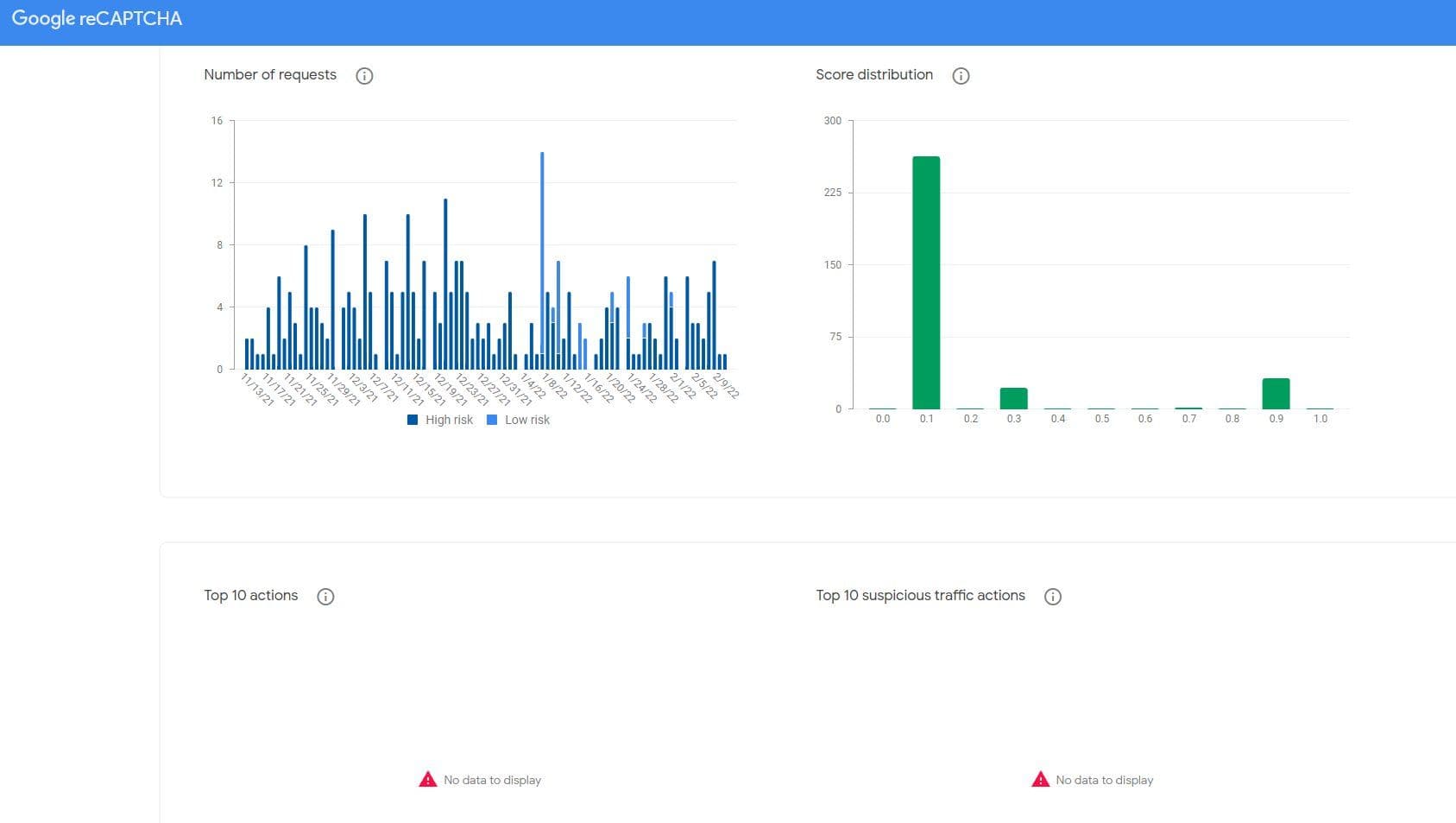
What exact signals does Google collect? The built-in script operates using the Advanced Risk Analysis system, which continuously evaluates hundreds of parameters. The algorithm reads your mouse movement trajectory, page scrolling speed and patterns, as well as the rhythm of your keyboard typing. Added to this are technical metrics: IP address reputation, browser fingerprint consistency, and the time spent on the site before the target action. If your script instantly opens a page and clicks "Submit" a millisecond later, the algorithm instantly assigns you a bot status.
The official grading scale looks like this:
- 0.9 - 1.0: Highly likely a human (full access)
- 0.7 - 0.8: Probably a human (the site might let you pass or log the action)
- 0.4 - 0.6: Uncertainty zone (the site might request additional verification, e.g., 2FA)
- 0.1 - 0.3: Probably a bot (action blocked or complete access denial)
- 0.0: Unambiguously suspicious and malicious traffic
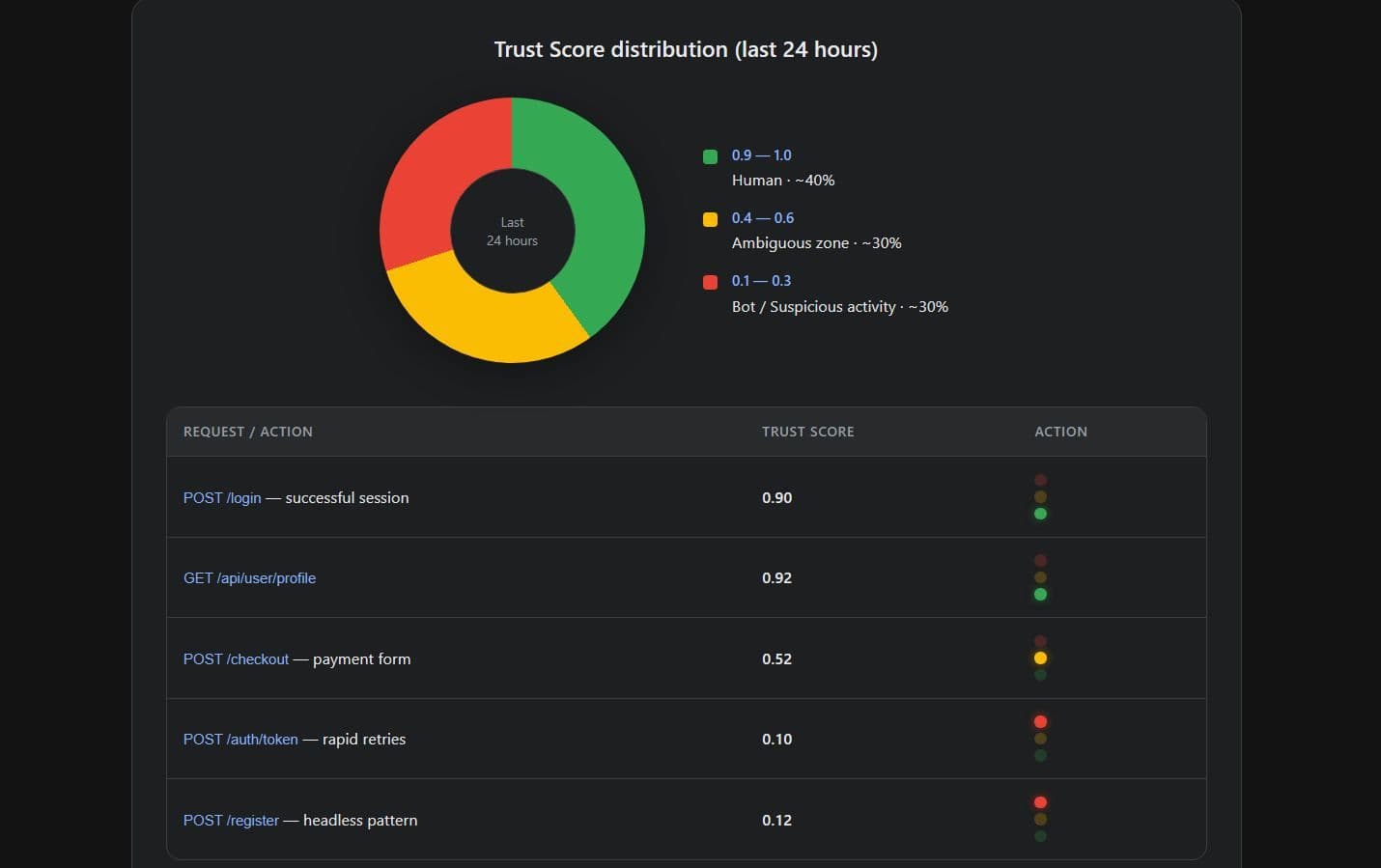
How do websites respond to your Score? It is important to understand that reCAPTCHA itself does not block anyone - it merely provides the site with your score. The server-side logic of the target resource decides what to do with you. Usually, it works like this: if you get a 0.9, you are let in without question. If the score drops to 0.5, the site might roll out an additional check - for example, sending an SMS code or asking to confirm your email. And if the script gets a 0.1, the connection is simply dropped or the form throws a silent error. Therefore, for successful data collection, it is sometimes not necessary to chase the maximum score; consistently maintaining an average score is enough if your scraper can handle intermediate verifications.
The problem with automation is that even with a clean mobile IP, a newly created script session without a cookie history often receives a Score below 0.3.
The 2Captcha Approach: Profiling Instead of Emulation
Attempting to manipulate the Score programmatically is a thankless and expensive task. The 2Captcha recognition service solves this problem more simply: it doesn't deceive algorithms on the fly, but instead relies on the pre-profiling of its actual workers.
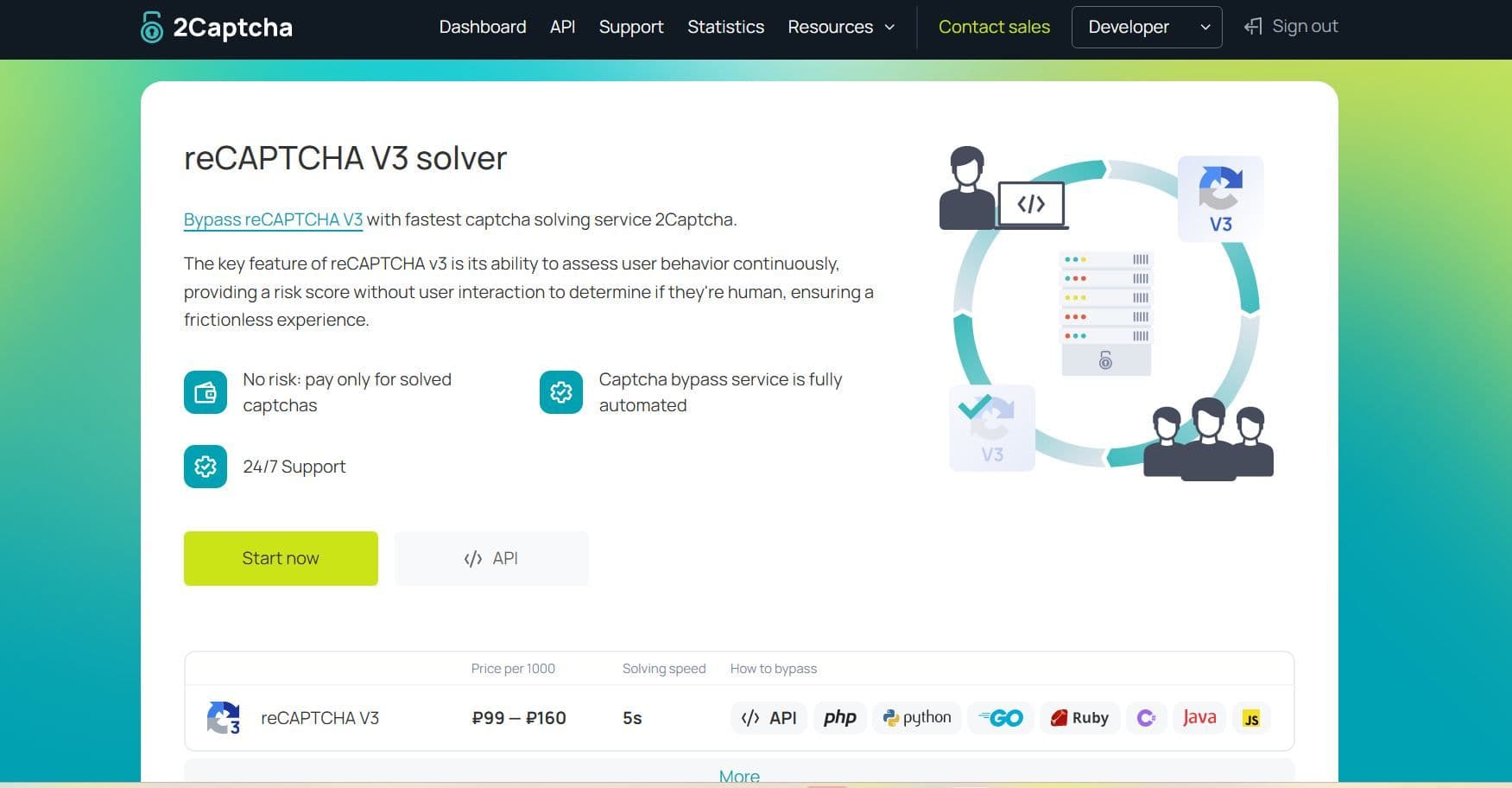
Inside the system, each worker is periodically given a test captcha to measure their personal Trust Score. These scores are recorded in the database. When your script sends an API request demanding a token with a score of 0.9, the 2Captcha system routes this task exclusively to those workers whose current Google profile holds a score of 0.9.
Solution Architecture: Why Doesn't v3 Need Your Proxies?
This is where the most common misconception among scraper developers lies. It seems logical: if your script works through mobile proxies, you should pass that exact same proxy to the 2Captcha API so the worker solves the captcha from the very same IP address.
Official fact: 2Captcha does not support passing custom proxies for reCAPTCHA V3 and Enterprise V3. The API exclusively uses the RecaptchaV3TaskProxyless task type.
Why is that? The service's experience shows that using third-party proxy servers when solving v3 drastically reduces the success rate. The worker opens the target site from their real IP address and with their natural, accumulated browser history - this is exactly what yields a high Score. The generated token is returned to your script via the API. It is crucial to understand that the client's IP address when submitting the final form on the site does not have to match the IP address of the worker who obtained the token.
API Integration: Required Parameters
To request a solution, you must send a POST request to the createTask method of the v2 API. Key parameters to pass in the JSON:
- type: Always
RecaptchaV3TaskProxyless - websiteURL (required): The full URL of the page where the captcha script is loaded
- websiteKey (required): The site key. It is easy to find in the source code under the
data-sitekeyparameter or intercept in network requests - minScore (required): The desired score. Available values are
0.3,0.7, and0.9 - pageAction (optional): The action parameter from the site's code (e.g.,
action: 'login'). If it exists on the site, it must be passed - apiDomain (optional): The script loading domain. By default, it is
google.com, butrecaptcha.netis used in some geolocations
Once the API returns the ready token (a long string like 03ADUVZwB7...), your script only needs to insert it into the hidden g-recaptcha-response field or pass it to the site's callback function, for example, window.verifyRecaptcha(token).
Token Integration: The Scraper's Working Logic
Successfully obtaining a token from the API is only half the battle. You also need to properly "feed" it to the site. However, simply replacing the value in the hidden field is often not enough.
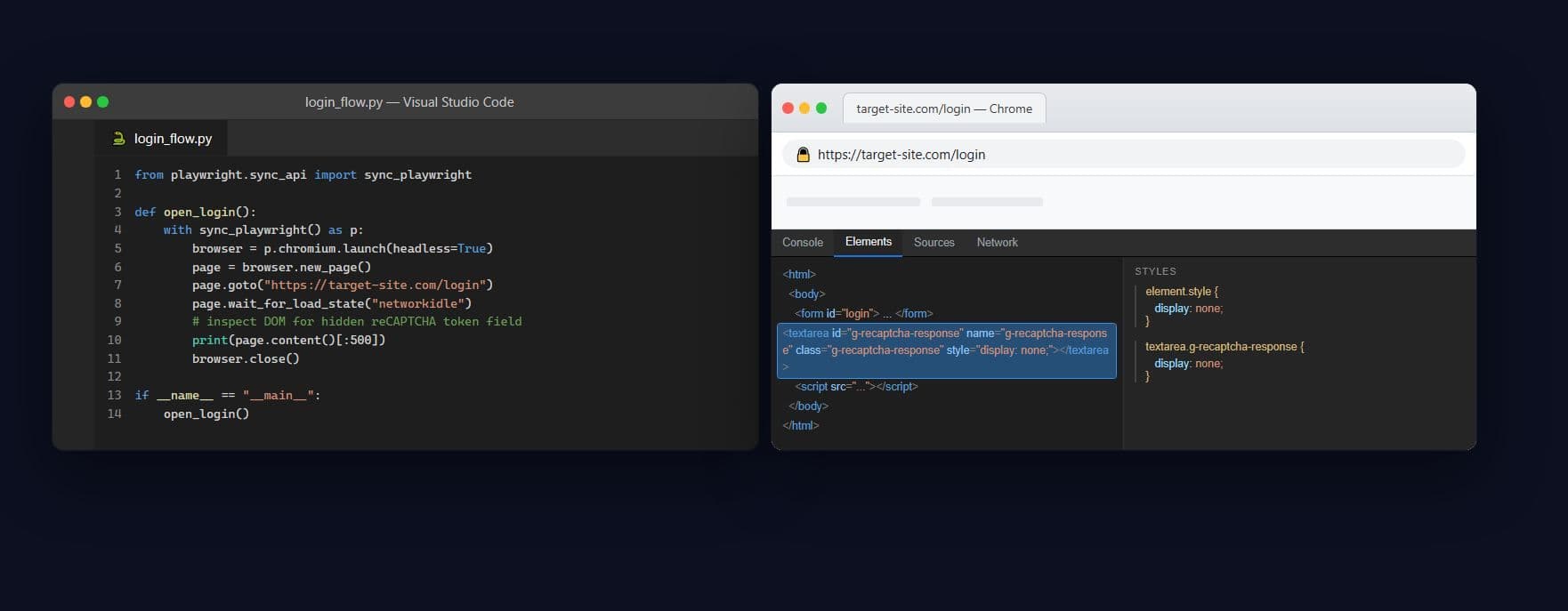
In most cases, you need to find the hidden field with the ID g-recaptcha-response and insert the token there by executing JavaScript within the page context (for example, using page.evaluate()). But sites often also require invoking a callback function that validates this data and submits the form further. Always check the source code of the submit button to understand exactly which script is expecting your token.
Concealing Automation: The Importance of Stealth Modules
When writing scrapers in Python, many overlook a critical detail: a "bare" headless browser is detected instantly. If you use standard Playwright, security algorithms can recognize the automation even before you send the task to the 2Captcha API. Be sure to use cloaking packages, such as playwright-stealth. They hide markers of automated behavior (for instance, removing the navigator.webdriver flag), making your browser indistinguishable from a regular user's Chrome. Without this preparation, even a perfectly solved captcha from a real worker might be rejected by a paranoid site because your own initial browser fingerprint was already tainted.
Interaction of reCAPTCHA v3 with Complex Anti-Fraud Systems
It is important to understand: large sites are rarely protected by just a single captcha. The score from Google is often passed downstream - to robust WAF (Web Application Firewall) systems like Akamai or Imperva. They aggregate all the data together.
This means the server does not simply check the token from 2Captcha; it correlates it with your network fingerprints (such as TLS handshakes and TCP/IP parameters). If your scraper has a "dirty" network footprint, the WAF will reject the request even before the captcha is verified. In this scenario, generating tokens is pointless - the root of the problem lies deeper, at the network connection level.
The Specifics of reCAPTCHA Enterprise
In addition to standard reCAPTCHA V3, some platforms use the advanced corporate version - reCAPTCHA Enterprise. It analyzes fraud much more strictly.
It is easy to identify: instead of the standard api.js, the enterprise.js script is loaded on the site, and grecaptcha.enterprise.execute calls appear in the code.
To solve this type of captcha, the same RecaptchaV3TaskProxyless task type is used, but the boolean parameter "isEnterprise": true must be added to the request. Keep timings in mind: while a regular v3 is solved by workers in an average of ~5 seconds, the Enterprise version takes about ~13 seconds. You need to factor this into your scripts' timeouts.
The Economics of Automation: Cost Optimization
Do not give in to the temptation to always request the maximum minScore: 0.9 if you are not sure the site actually needs it. Proper configuration will save your budget.
2Captcha pricing for v3 depends on the requested score:
- Requests with
minScore <= 0.3cost $1.45 per 1,000 solutions - Requests with
minScore > 0.3(i.e., 0.7 or 0.9) cost $2.99 per 1,000 solutions
Best practice from the official documentation: During the testing and debugging phase of your scraper, always start with the minimum acceptable score of 0.3. Raise the requirements to 0.7 or 0.9 only if the target resource starts rejecting more than 50% of the submitted tokens.
Why Custom Scripts and Neural Networks Are Useless Here
Many are used to solving simple image captchas using their own scripts or open-source OCR models. For v3, this approach absolutely does not work. Your local neural network is simply physically incapable of generating a g-recaptcha-response token because it is cryptographically signed on Google's closed servers following an evaluation of a live profile. Delegating this task to real humans via Proxyless requests is the only technically viable path.
The combination of high-quality mobile IPs and proper handling of the 2Captcha API via Proxyless requests allows you to build a virtually invulnerable data collection system that fears no invisible Trust Score checks.
- Bypassing reCAPTCHA v3 in Web Scraping: How to Get a High Trust Score in Automation
- How reCAPTCHA v3 Evaluates "Humanness"
- The 2Captcha Approach: Profiling Instead of Emulation
- Solution Architecture: Why Doesn't v3 Need Your Proxies?
- API Integration: Required Parameters
- Token Integration: The Scraper's Working Logic
- Concealing Automation: The Importance of Stealth Modules
- Interaction of reCAPTCHA v3 with Complex Anti-Fraud Systems
- The Specifics of reCAPTCHA Enterprise
- The Economics of Automation: Cost Optimization
- Why Custom Scripts and Neural Networks Are Useless Here
- Best Mobile Proxy Providers [2026]

- How to Set Up Remote Change of IP Address Through iProxy.online?
- How to Make Money With Proxies [The Complete Guide]
- How to Increase the Proxy Speed: Detailed Guide
- Guide for setting up mobile proxies in iProxy.online
- All about .OVPN configs, UDP, HTTP/3, QUIQ support
- What is Wi-Fi Split? How does it help to increase the speed and reduce traffic consumption?
- Replace passive OS fingerprint in mobile proxies
- List of recommended phones for iProxy.online
- How to choose the right location of the server?
 Sign up with Google
- Best Mobile Proxy Providers [2026]
- How to Set Up Remote Change of IP Address Through iProxy.online?
- How to Make Money With Proxies [The Complete Guide]
- How to Increase the Proxy Speed: Detailed Guide
- Guide for setting up mobile proxies in iProxy.online
- All about .OVPN configs, UDP, HTTP/3, QUIQ support
- What is Wi-Fi Split? How does it help to increase the speed and reduce traffic consumption?
- Replace passive OS fingerprint in mobile proxies
- List of recommended phones for iProxy.online
- How to choose the right location of the server?


