





How to launch 100+ ads in just a few clicks? iProxy + Dolphin Cloud

Evgeny Fomenko2026-04-22
 5
5 Mass ad launching requires not only a large number of advertising accounts. It also requires speed. And if you launch ads manually, you will be physically limited, because it is impossible to launch ads in 1 minute.
And this is exactly the speed required if you want to launch hundreds of campaigns per day. There is a solution — a so-called multitool for Facebook.
What is a multitool for Facebook?
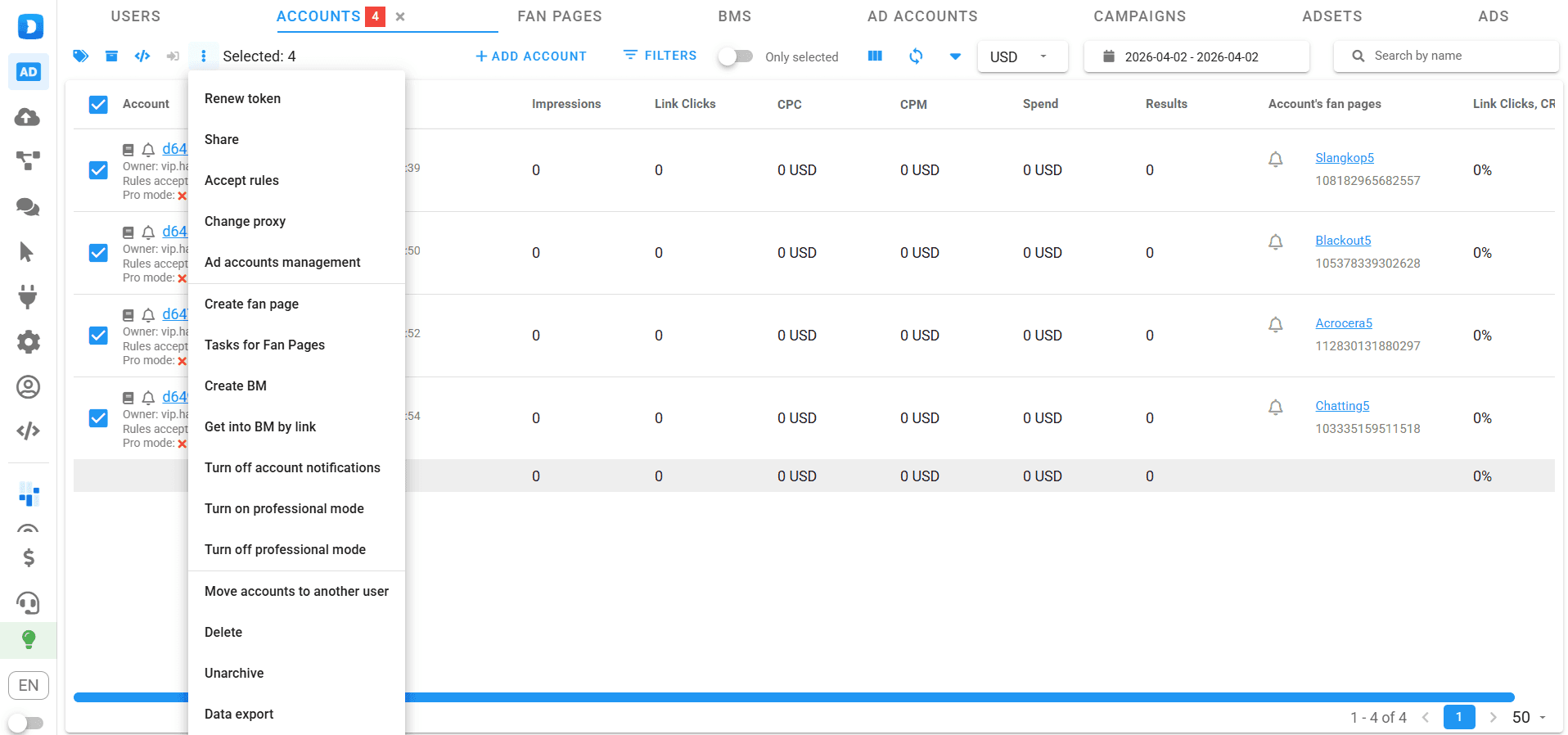
It is a service that simultaneously uses dozens or hundreds of Facebook advertising accounts, managing them via API. It works as follows:
- You purchase advertising accounts that have an API token assigned;
- You add them to the multitool, and using the specified token, the system connects to the accounts;
- You use the multitool’s features to mass attach cards, change fan pages, launch and stop ad campaigns, manage comments on your ads, etc.
Example of advertising accounts and their functionality in the Dolphin Cloud multitool.
One of the popular and user-friendly multitools is Dolphin Cloud. It runs in a browser and does not require any installation on your computer. We will use it as an example to break down mass ad launching.
How to launch ads through the Dolphin Cloud multitool?
To work with it, you will need 3 components: advertising accounts, proxies, and cards.
Adding advertising accounts, proxies, and cards
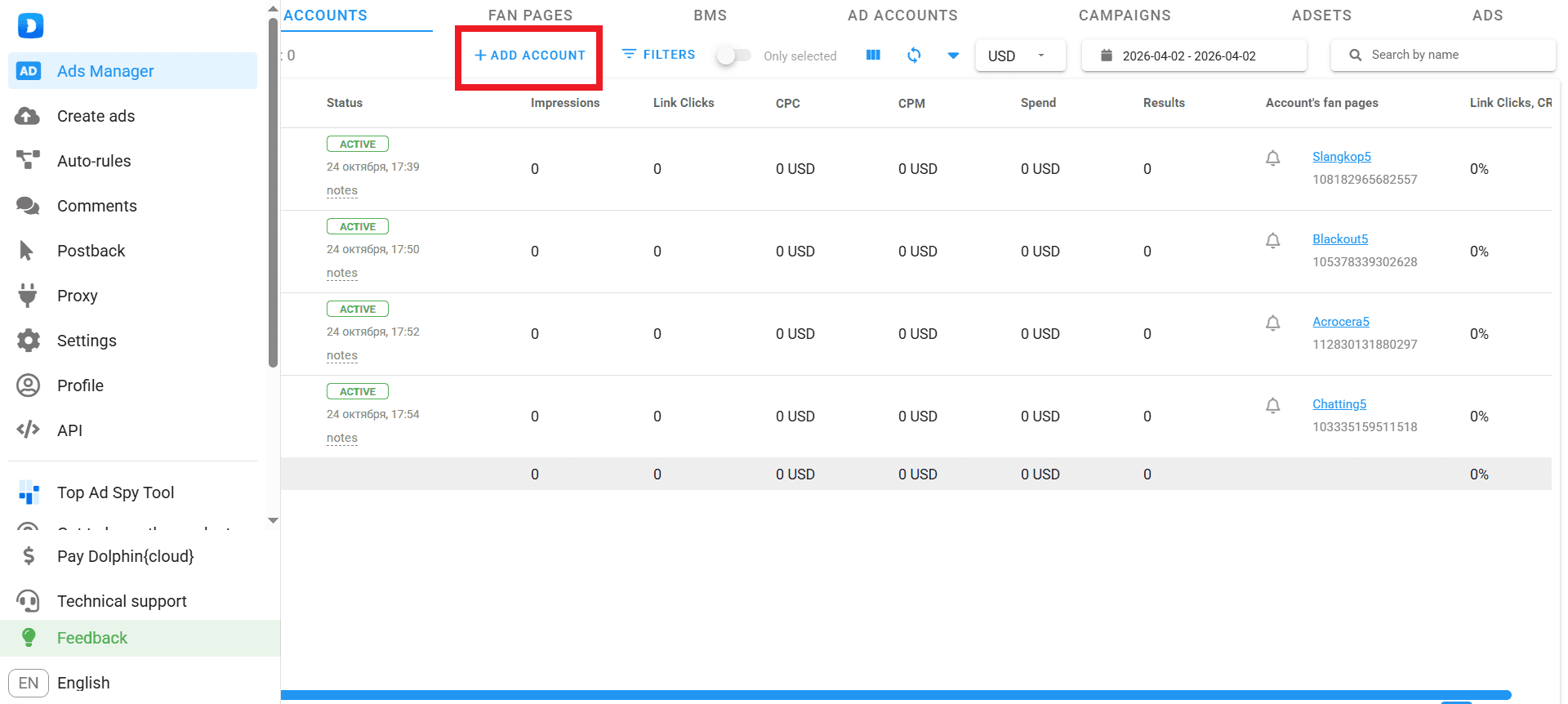
To add advertising accounts to your workspace, go to the Ads Manager section (Accounts tab) and click the corresponding button.
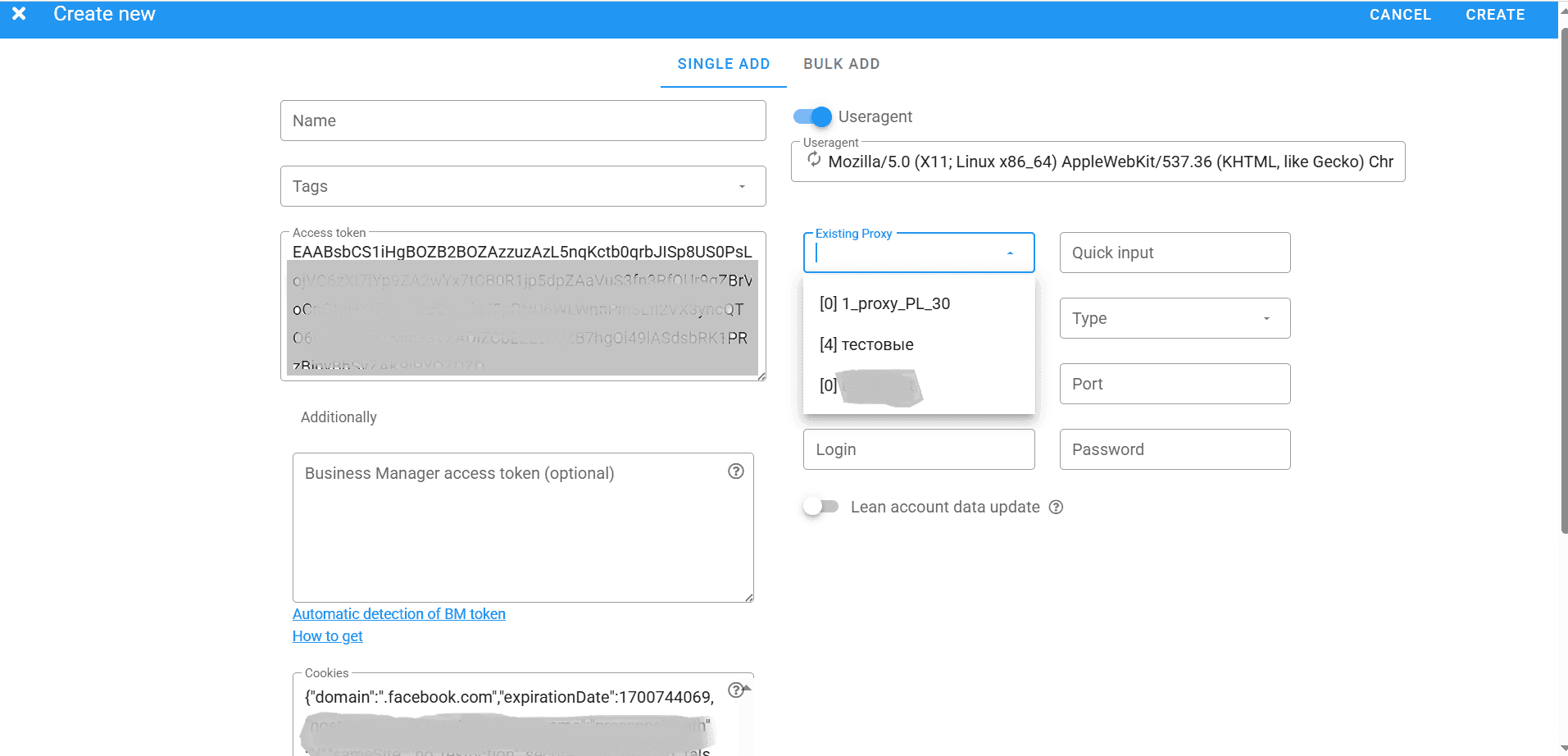
Next, the add form will open. To add an account, you will need a token, a proxy, and cookies. Everything else is optional.
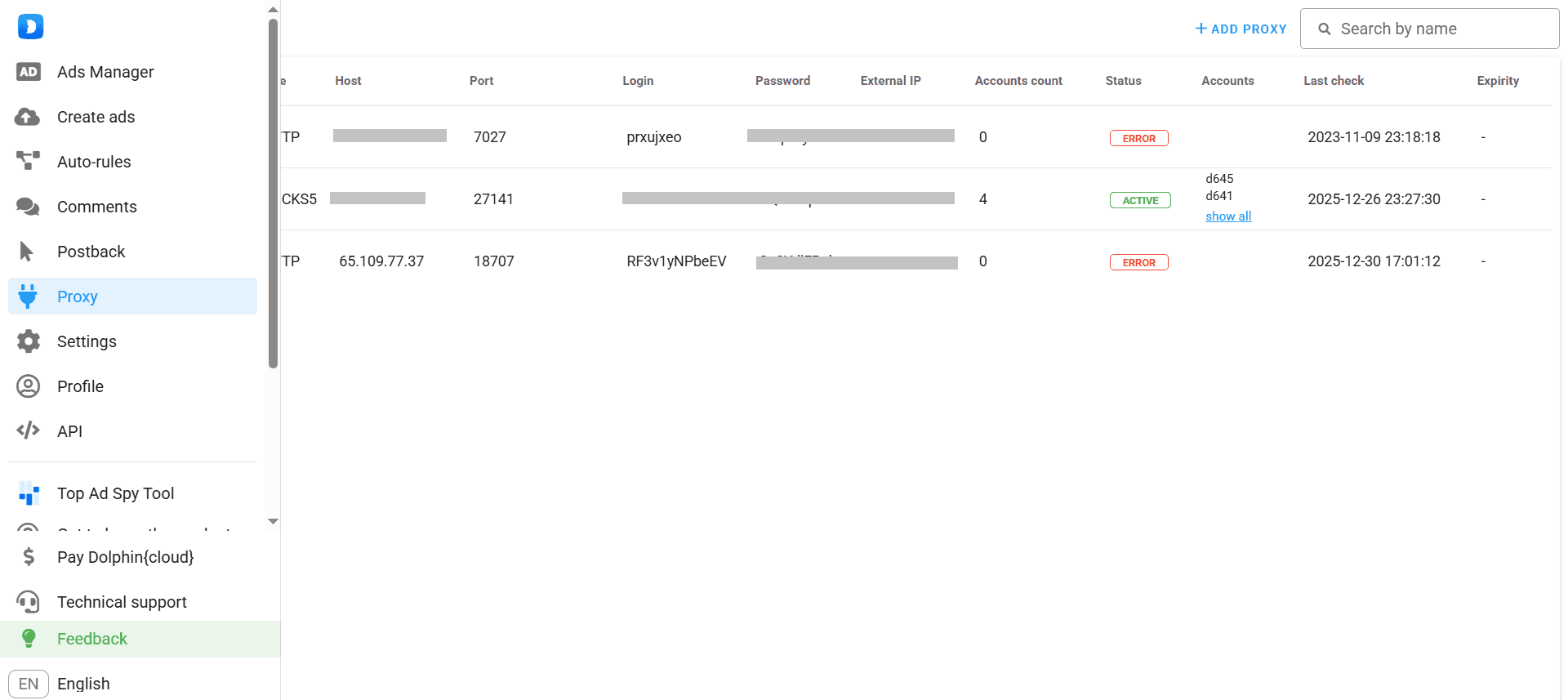
Proxy port data can be entered directly when adding an advertising account, or in the proxy section, after which they will appear in the “Proxies” field.
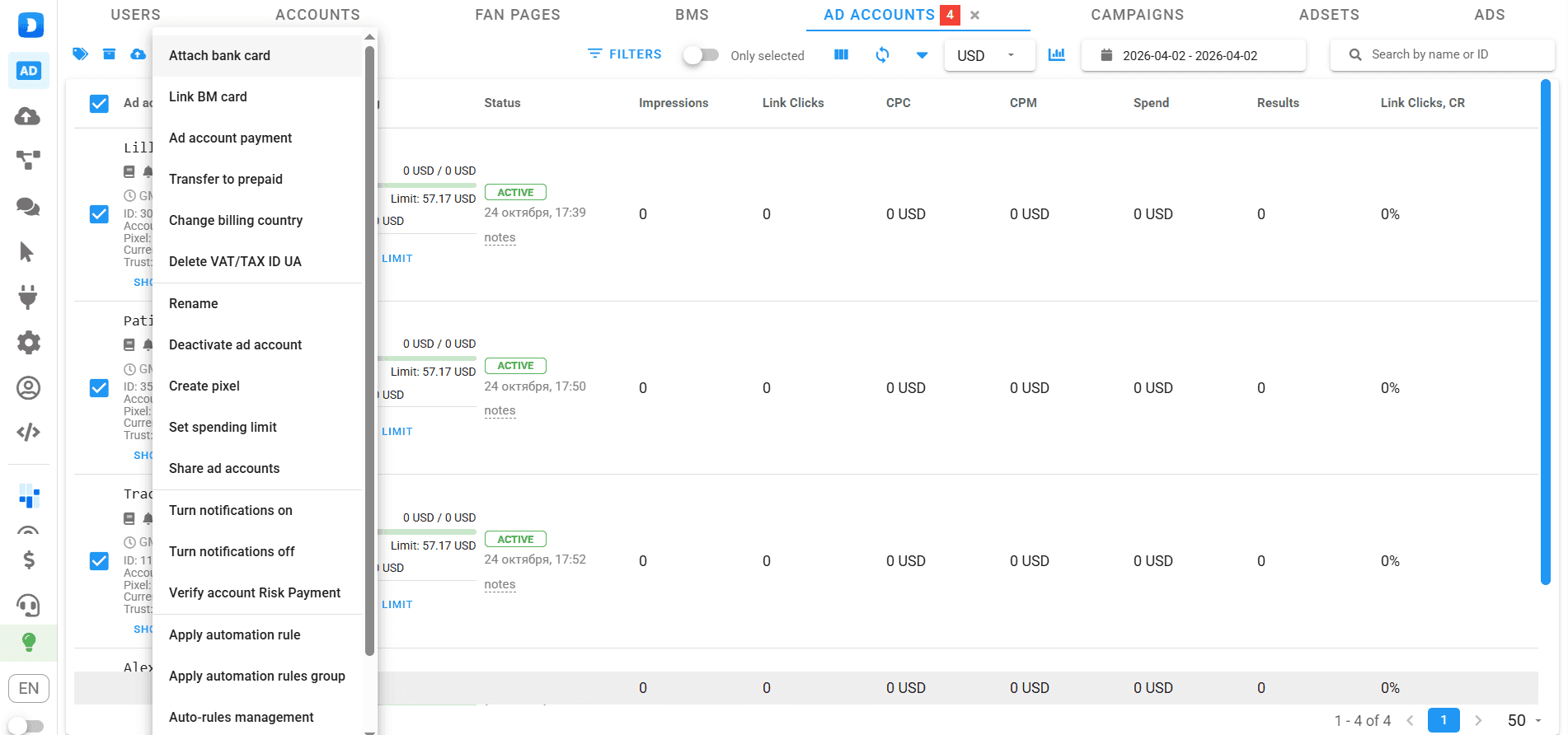
To pay for ads, you need to link bank cards to the advertising accounts. This is done in the Ads Manager → Ad accounts → Attach bank card section.
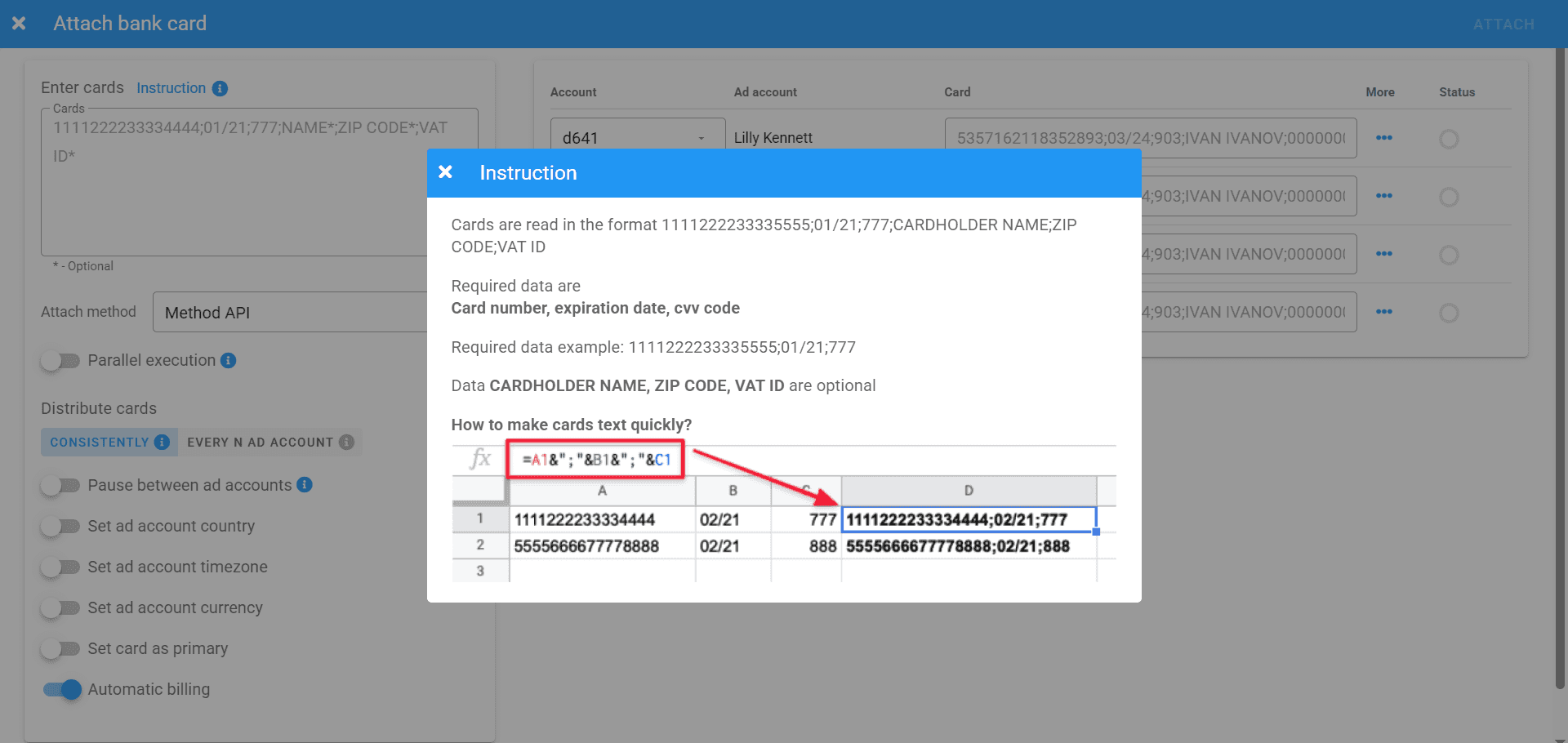
Next, you can either link one card to all accounts, link N cards to N accounts, or assign one card to multiple accounts.
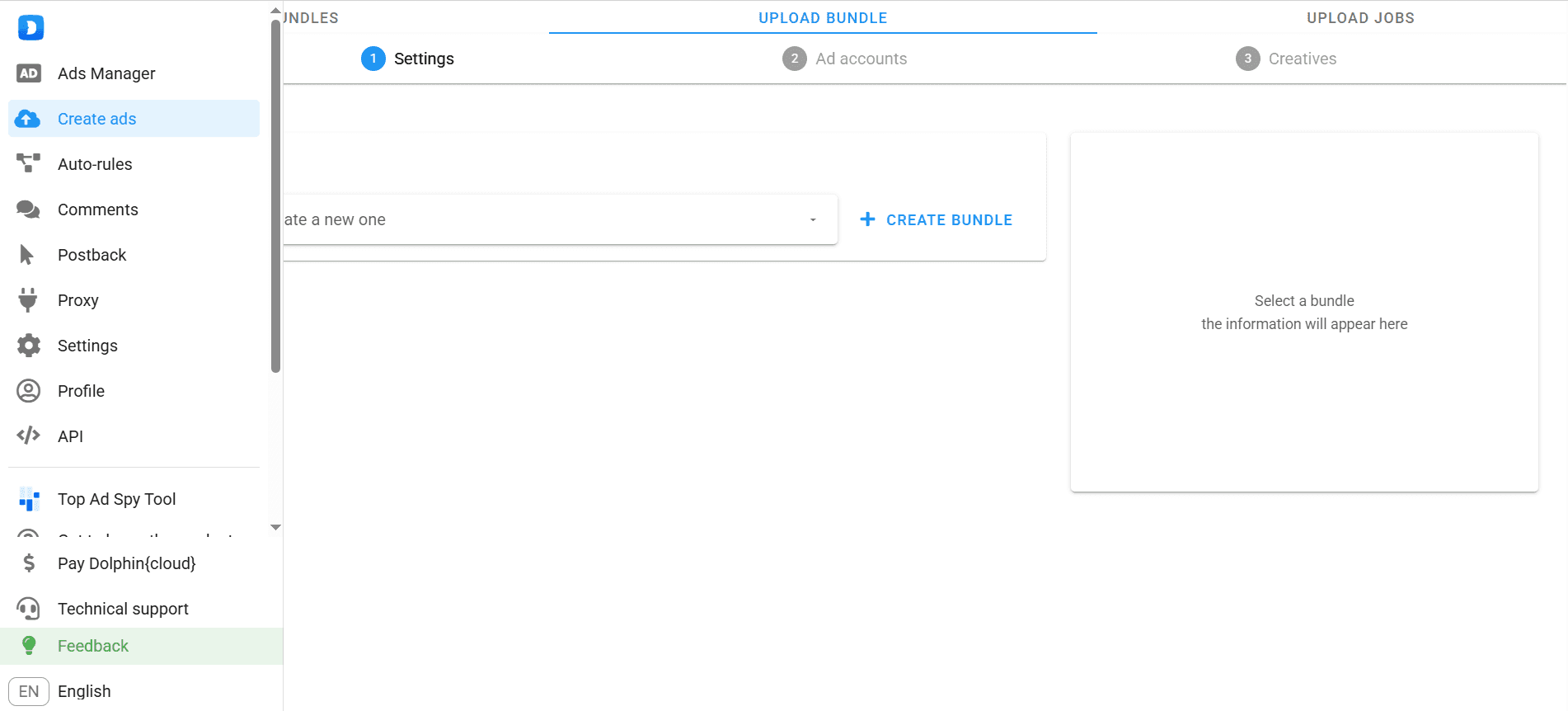
Creating or selecting bundles and launching them
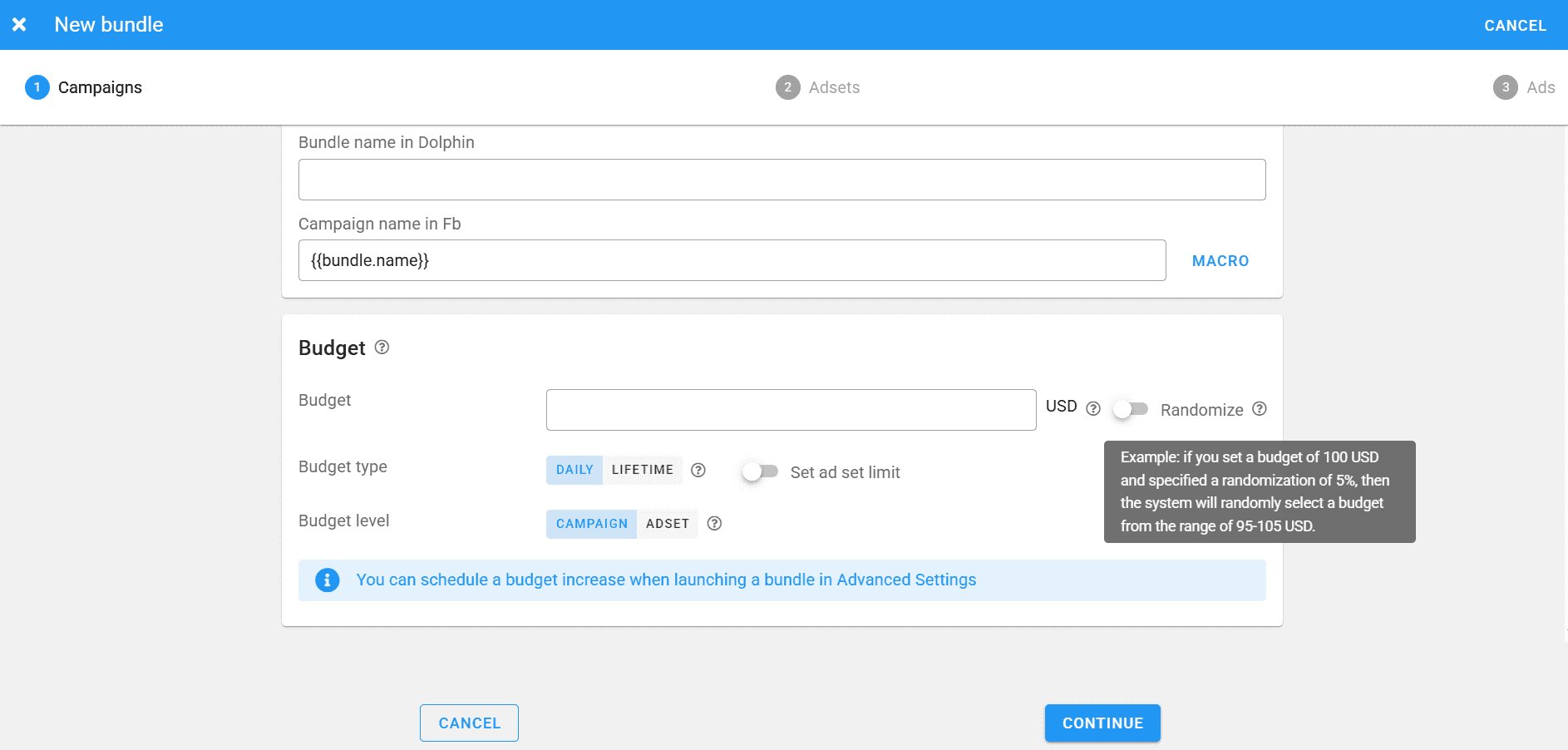
Now that we have accounts, cards, and proxies, we can create ad campaigns. This is done in the “Create ads” section and is very similar to launching ads in Facebook Ads Manager.
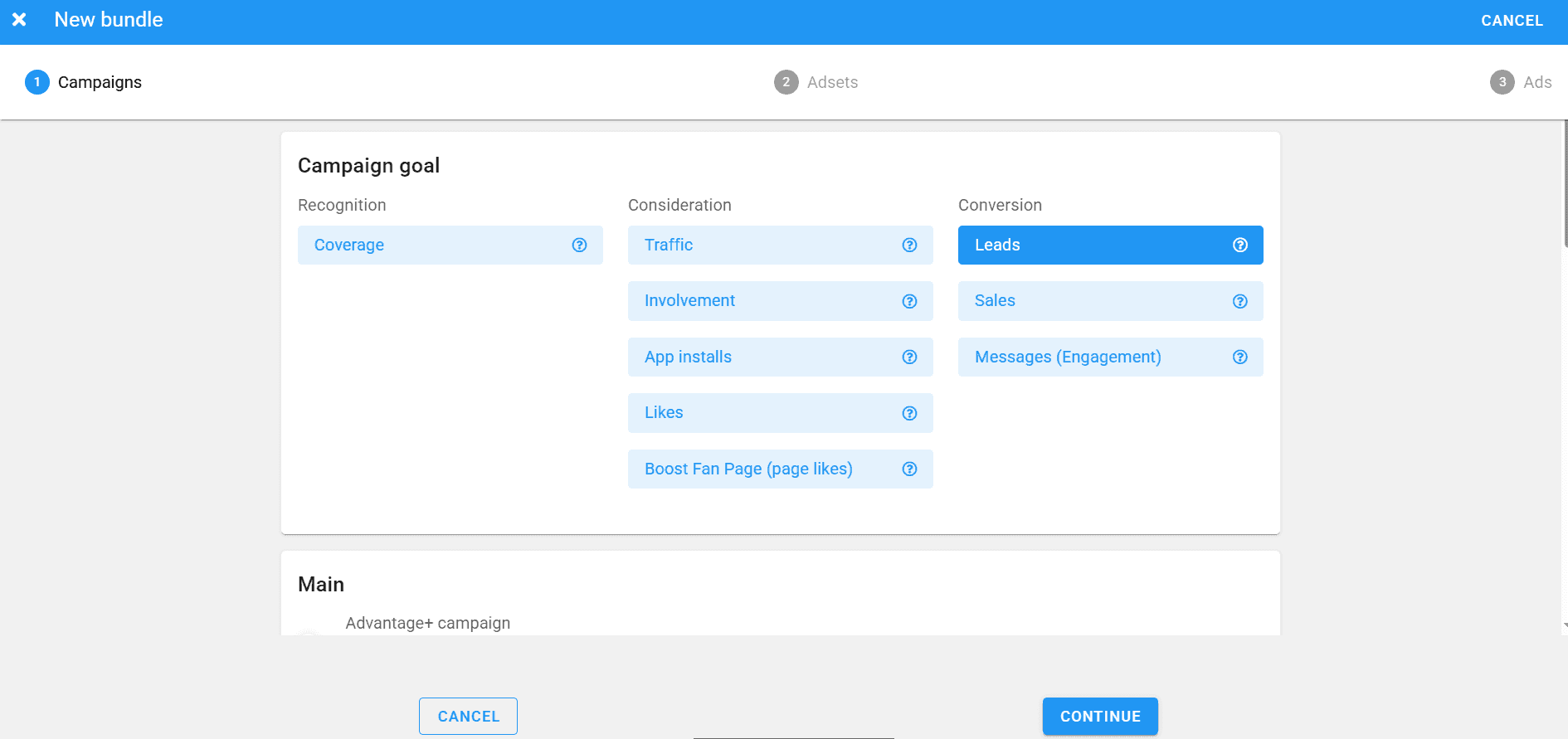
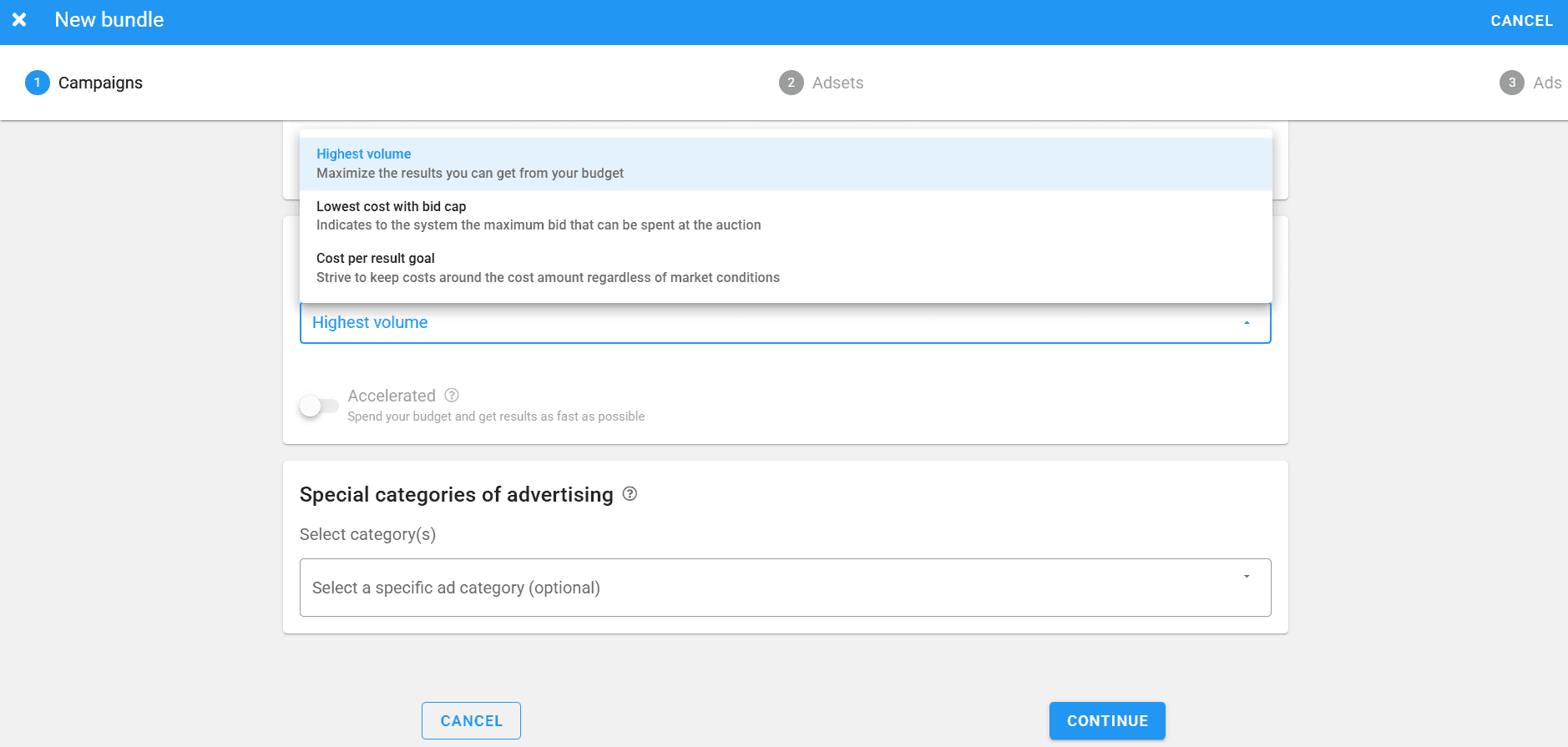
When creating a bundle, you need to select:
- Campaign goal;
- Budgeting;
- Bidding strategy.
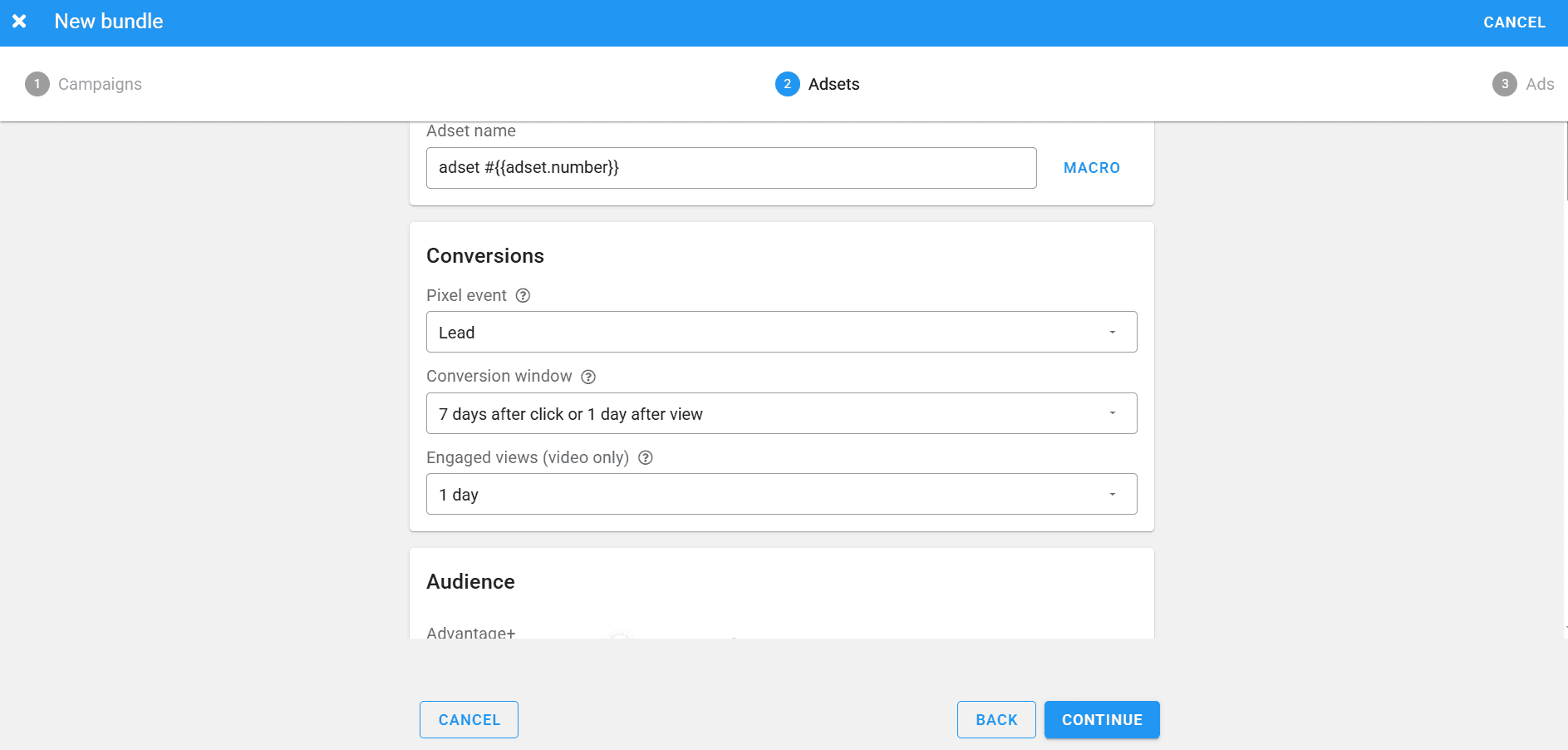
Next, at the ad set level, you need to set the pixel event and configure targeting. In the ad set section, you select the GEO, audience demographics, interests, and device parameters.
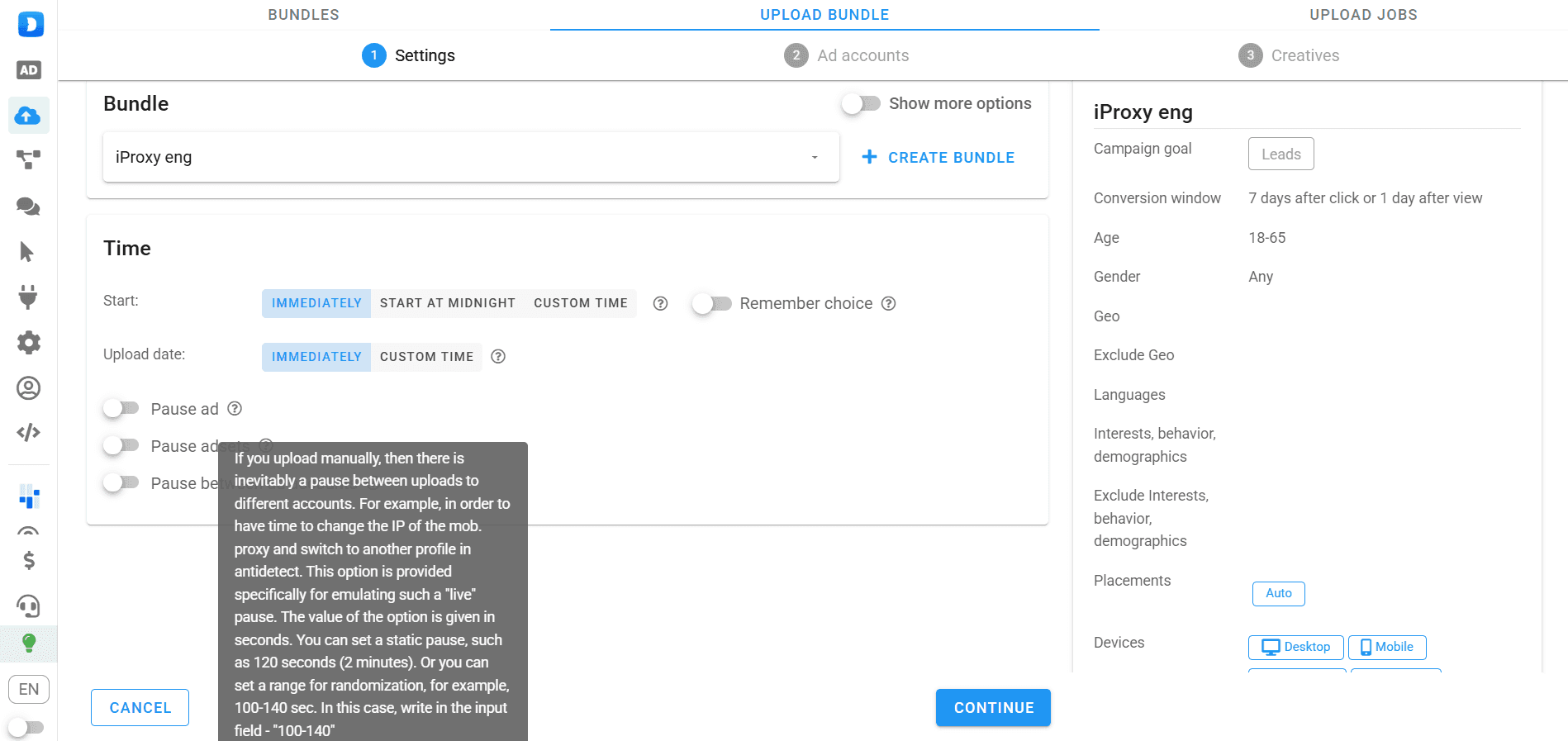
Next, you enter the headline and ad text. After that, the bundle is ready and appears in the “Upload” section. Here, you can also view targeting details and set delays between launches across different accounts.
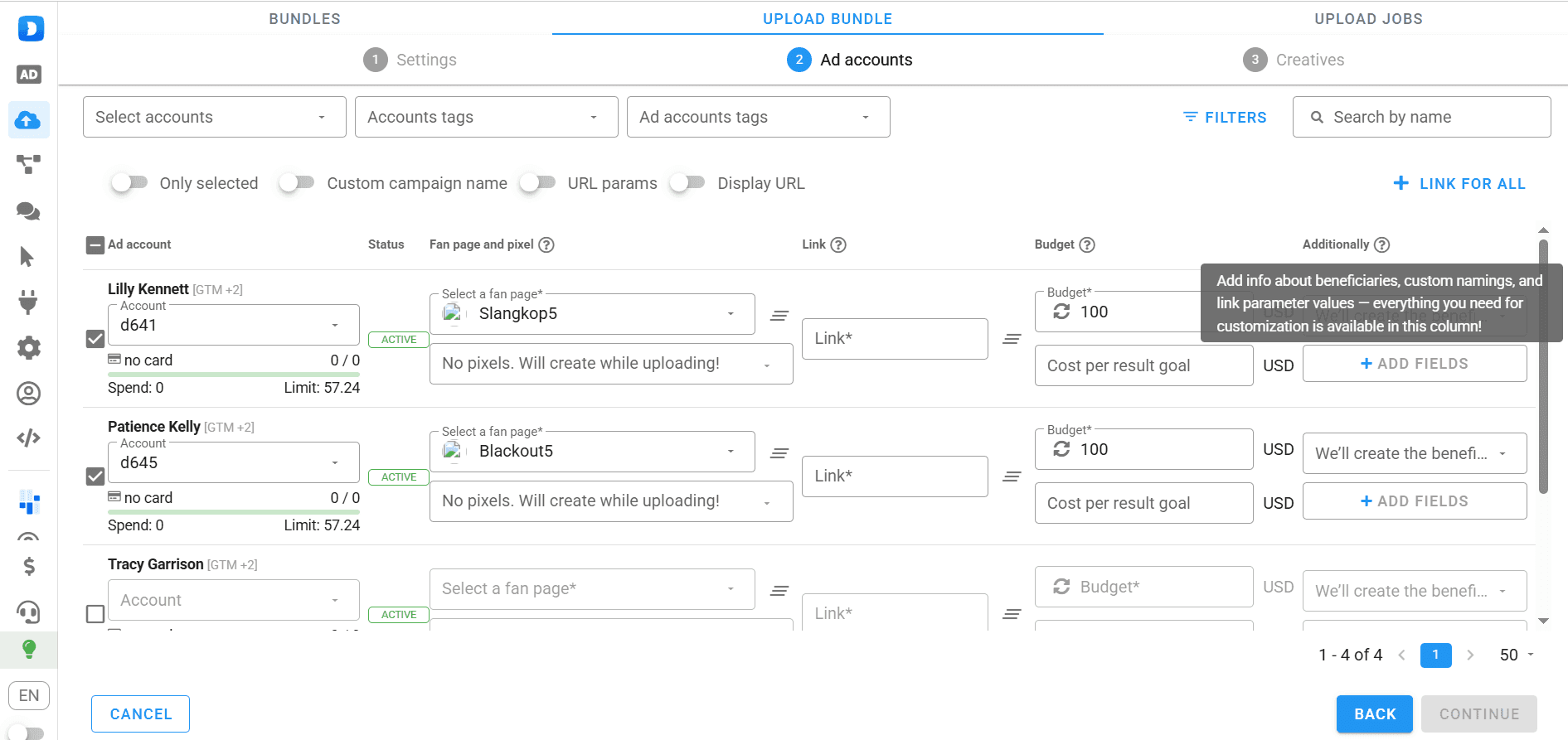
Then you need to select the ad accounts from which the bundle will be launched. In the account selection section, you need to add the advertising link, and you can also automatically generate a beneficiary.
Next, you just need to add images and you can launch the ads. If you took creatives from a spy service, enable the “Uniq creatives” option. During the uniq process, the images will receive different metadata, and Facebook will not detect that you are using someone else’s creatives.
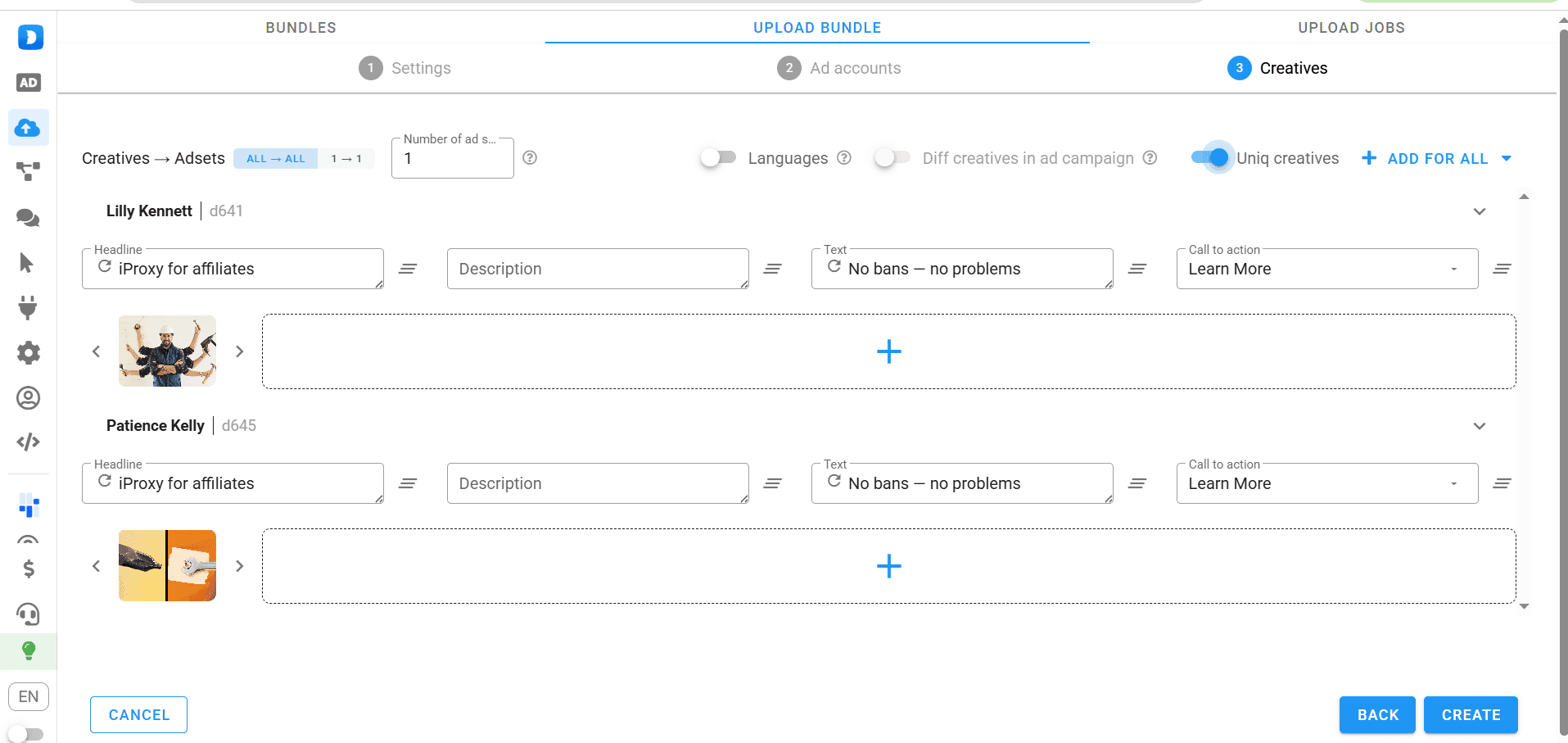
This way, you can select even 1000+ accounts and launch the ad bundle across all of them. Dolphin Cloud uses delays, metadata, and the spintax option to randomize the launch so that it looks like different people are running ads from different accounts.
Useful features of Dolphin Cloud
To avoid bans and increase the effectiveness of ad campaigns, the multitool offers several important and useful features.
Spintax
This is an option for randomizing fan page names and ad texts. It helps avoid duplication of names and texts — and duplicated names are often how Facebook detects multi-accounting and automated ad launching.
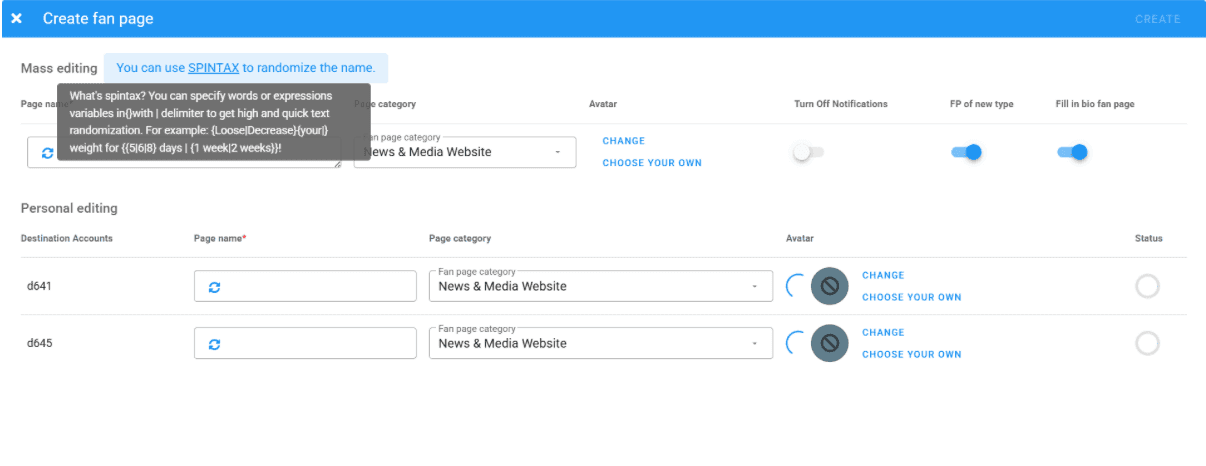
Instructions for SPINTAX are provided wherever this feature is available.
Comment moderation
Negative comments can scare off potential customers, and it is difficult to monitor them in every account. That is why there is a section for centralized comment management.
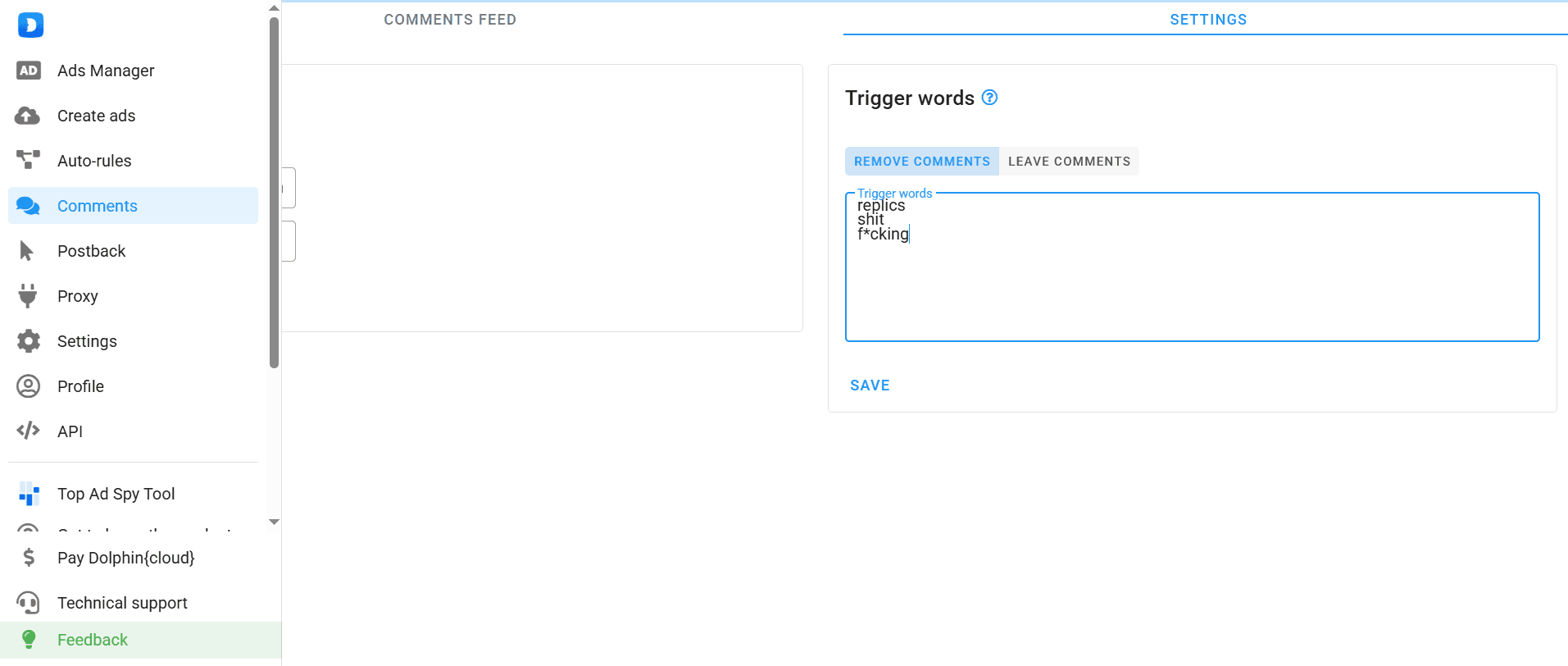
In the “Feed” tab, you can see what users are writing under your ad posts, and in the settings — configure comment moderation rules. You can set:
- Monitoring frequency;
- Trigger words;
- Operating mode — only load, hide, or delete;
- Reaction to triggers — delete comments with these words, or delete all comments except those with triggers.
Important! Trigger words must be entered exactly as shown in the screenshot — each on a new line without commas or other operators. For more accurate performance, use the root of the word, for example, “replic”. This way, not only “replica” will be deleted, but also “replicu”, “replicoy”, etc.
Creating and randomizing fan pages
To create a fan page, you need to select the advertising accounts and open the corresponding section.
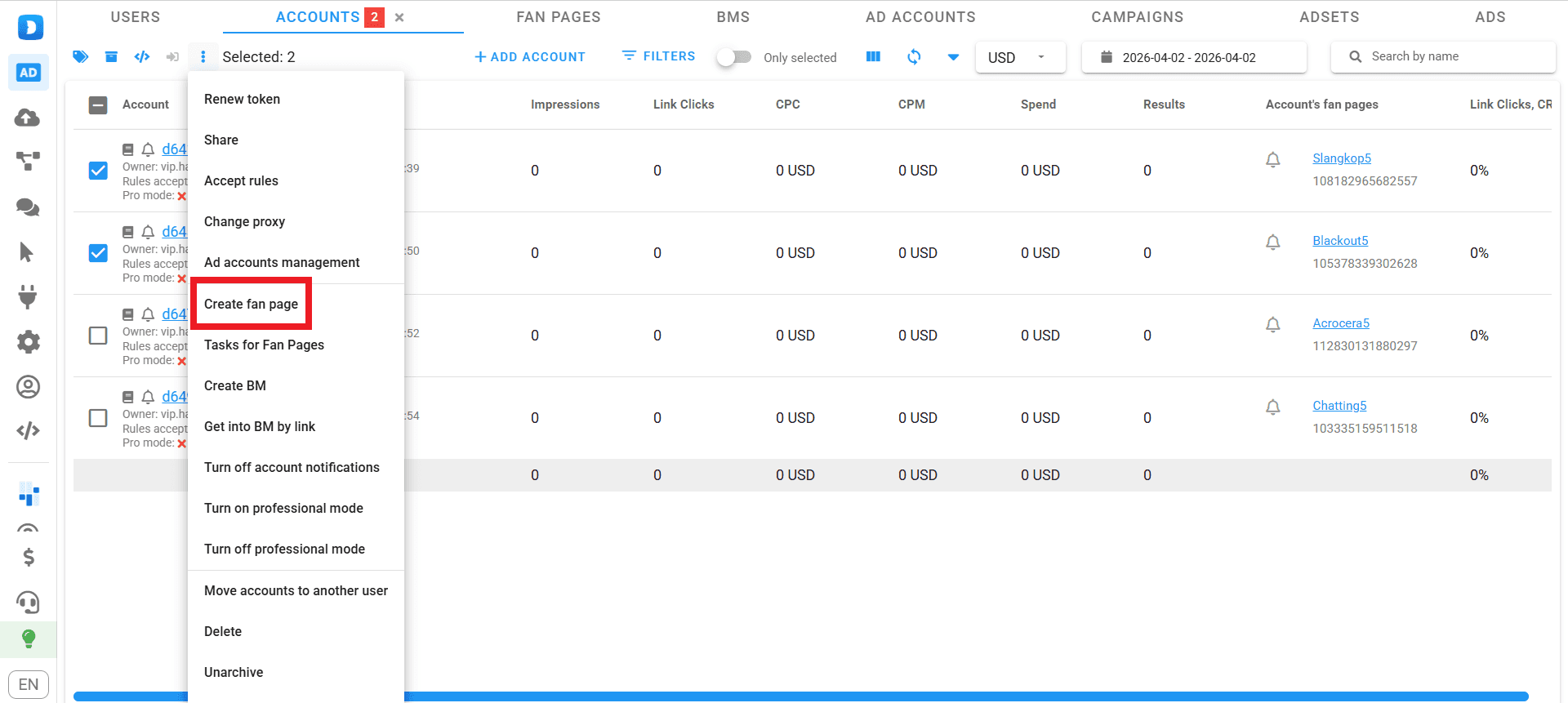
Next, you need to enter the fan page name (preferably randomizing it using SPINTAX), select the type, and add avatars. In a similar way, a Business Manager is created in Dolphin Cloud.
Auto rules
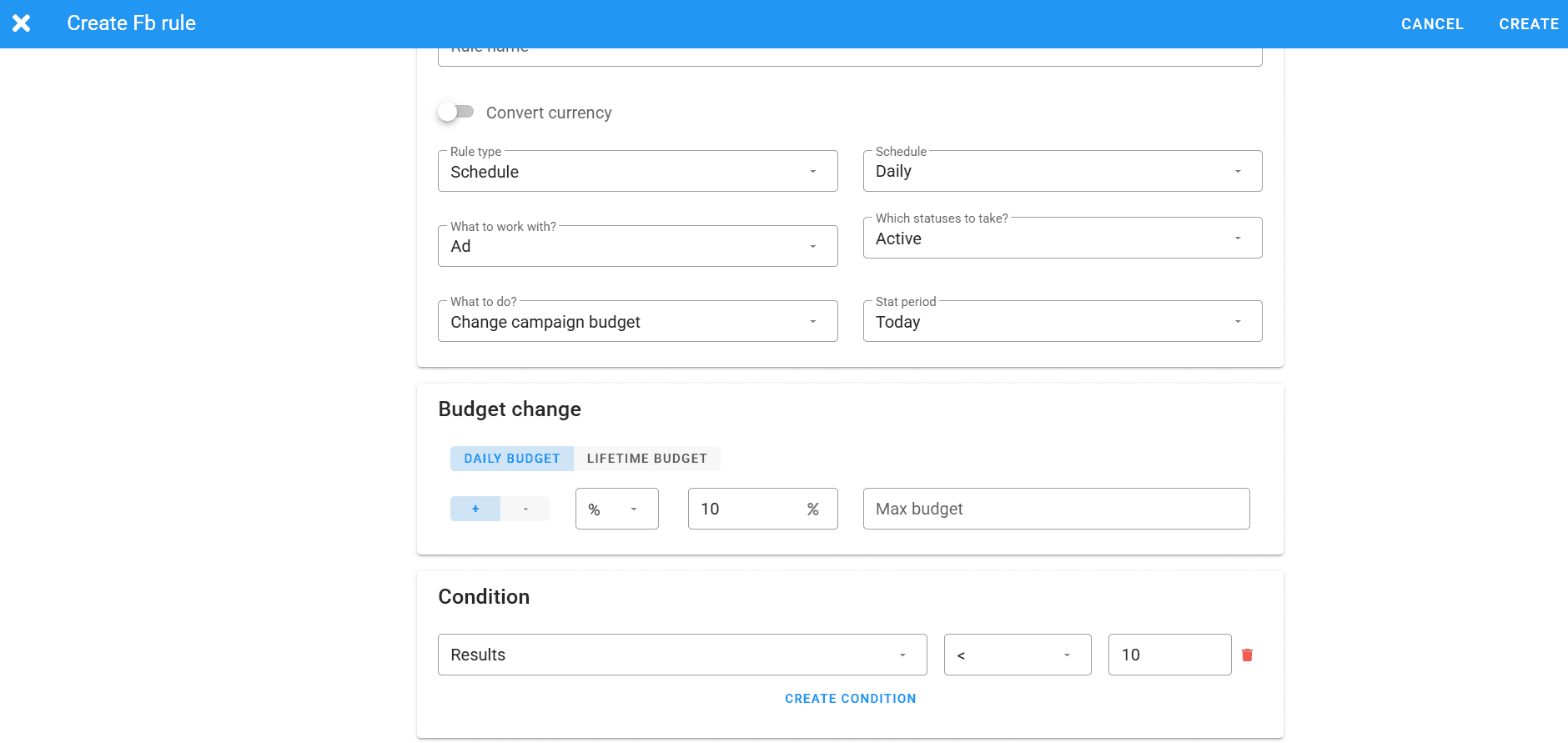
If in Facebook auto rules adjust ads at the account level, then in Dolphin Cloud they operate at the mass launching level. To configure them, go to the соответствующий раздел and select the “Create rule” option, or edit an existing one.
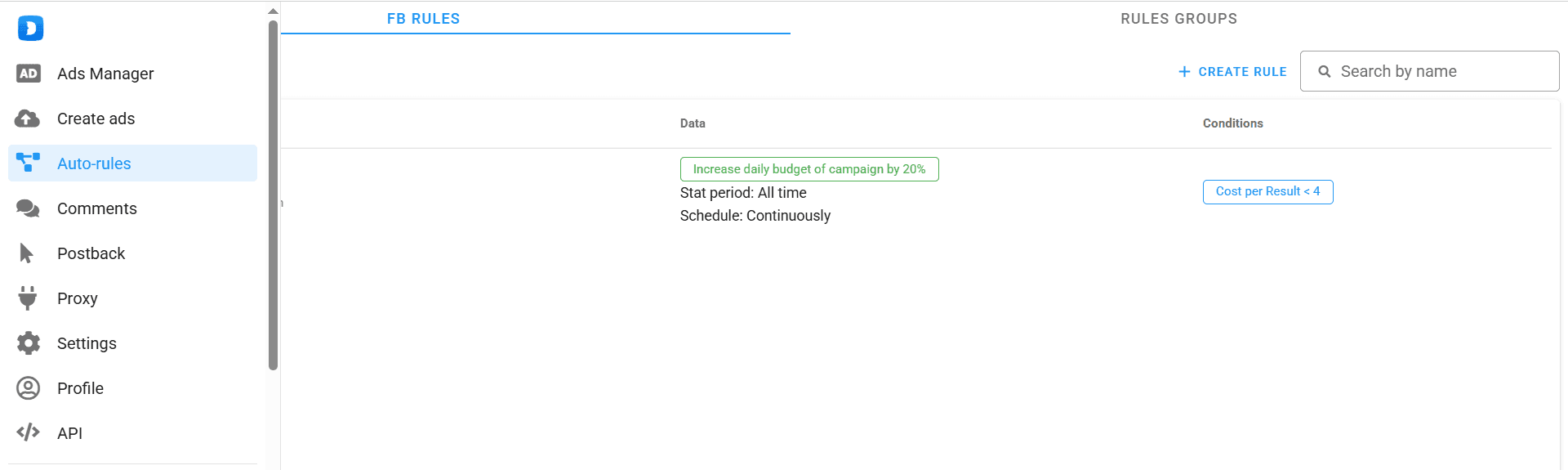
Next, everything is configured the same way as in Facebook: you set the name, type, update frequency, condition (for example, cost per result), and the resulting action (for example, increase the daily budget).
Which proxies should you choose for working with Dolphin Cloud?
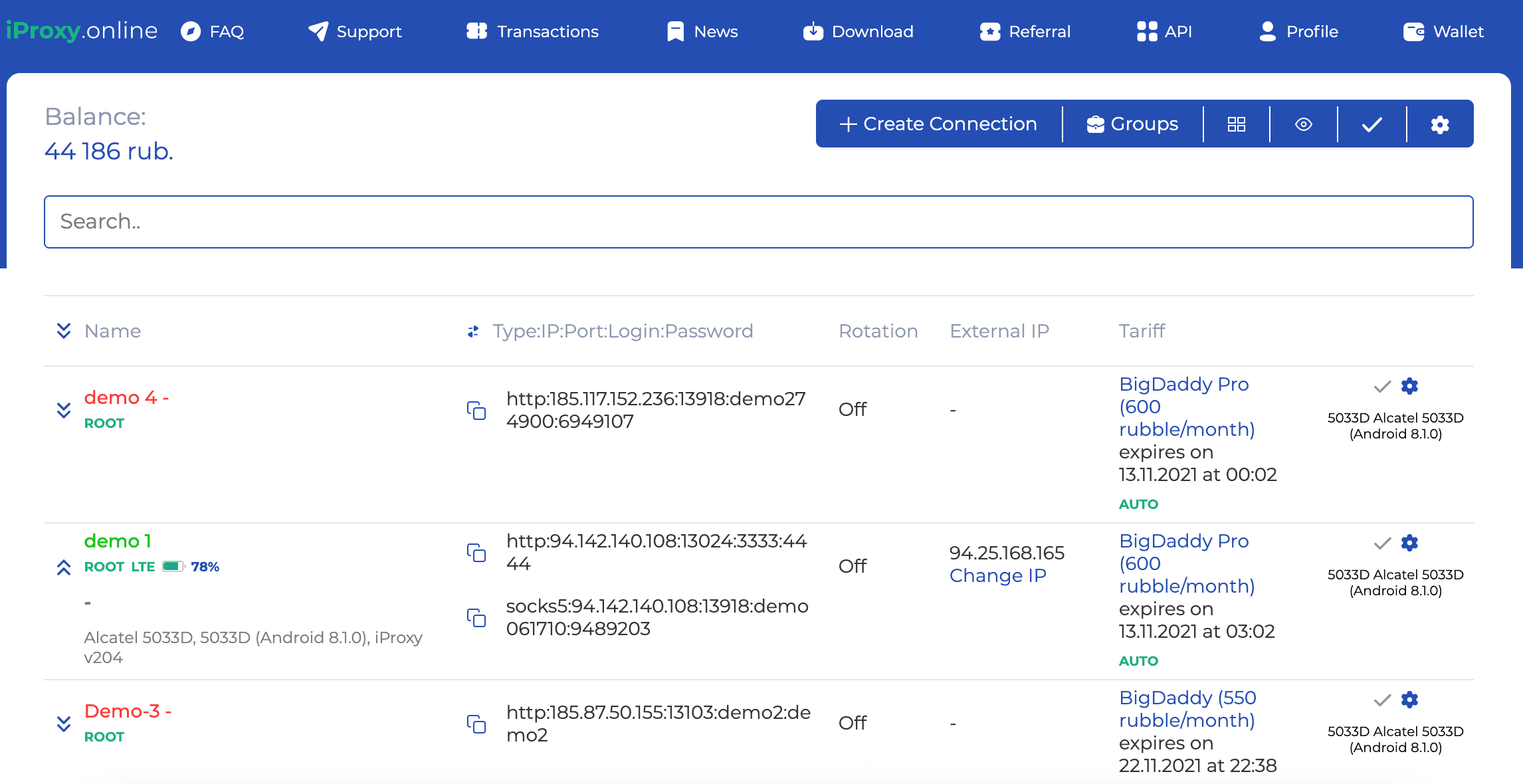
For mass ad launching through Dolphin Cloud, only mobile or residential proxies are suitable. Any other types of proxies are routed through data centers and servers, and Facebook can clearly detect this.
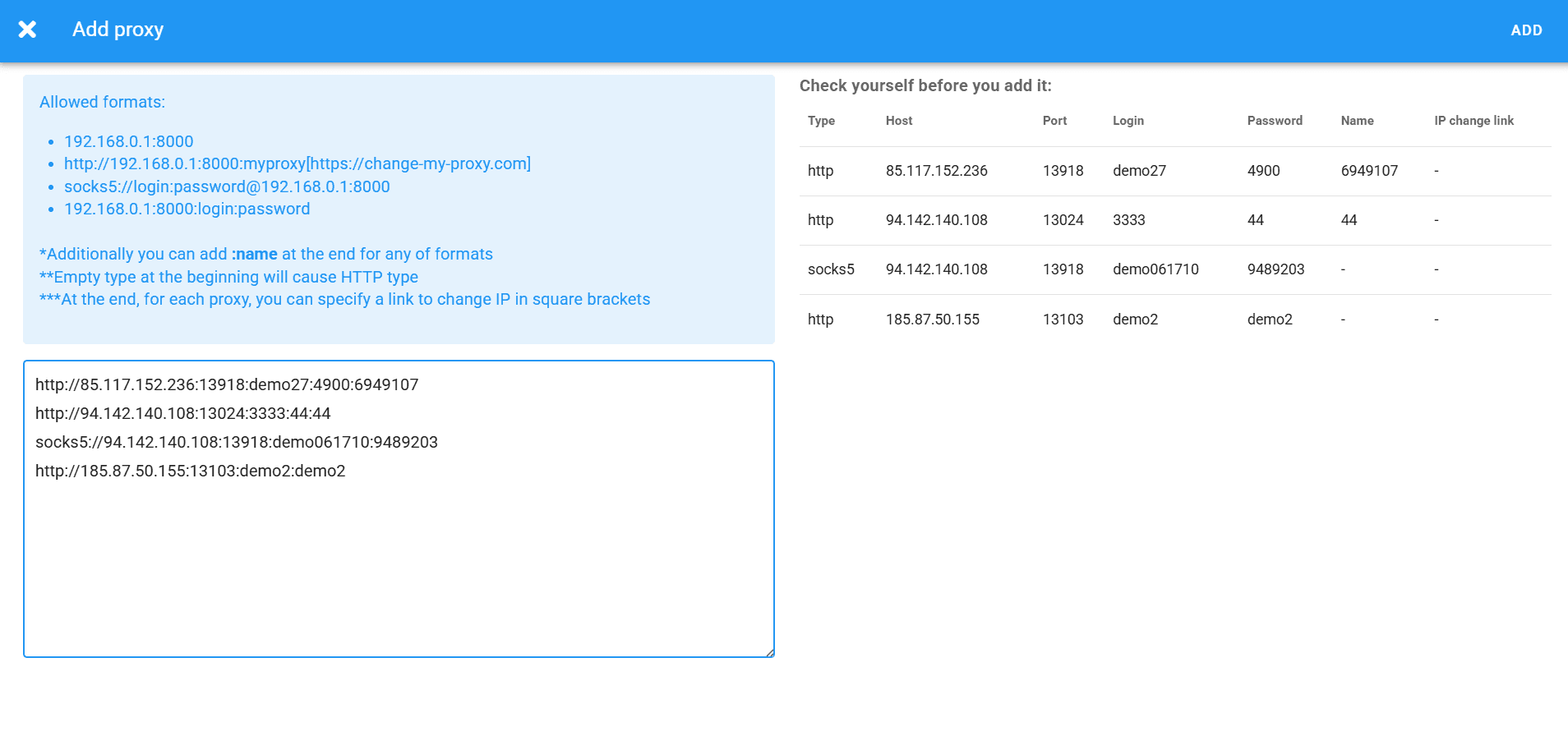
To add proxies, you need to copy the port data from your personal account and add it to the corresponding field.
 pic
pic
Conclusion
Dolphin Cloud is like the Facebook Ads Manager interface, but for large-scale launches. It includes targeting, auto rules, Business Manager and fan page management, as well as bank card linking. In addition, there are options for randomizing texts and names, uniquizing creatives, and managing comments.
But unlike Facebook Ads Manager, this entire infrastructure requires proxies. Without proxies, your advertising accounts will be banned instantly. Therefore, choose mobile or residential proxies and add them to Dolphin Cloud. You can try the multitool in action for free with a three-day trial version.
- Best Mobile Proxy Providers [2026]

- How to Set Up Remote Change of IP Address Through iProxy.online?
- How to Make Money With Proxies [The Complete Guide]
- How to Increase the Proxy Speed: Detailed Guide
- Guide for setting up mobile proxies in iProxy.online
- All about .OVPN configs, UDP, HTTP/3, QUIQ support
- What is Wi-Fi Split? How does it help to increase the speed and reduce traffic consumption?
- Replace passive OS fingerprint in mobile proxies
- List of recommended phones for iProxy.online
- How to choose the right location of the server?
 Sign up with Google
- Best Mobile Proxy Providers [2026]
- How to Set Up Remote Change of IP Address Through iProxy.online?
- How to Make Money With Proxies [The Complete Guide]
- How to Increase the Proxy Speed: Detailed Guide
- Guide for setting up mobile proxies in iProxy.online
- All about .OVPN configs, UDP, HTTP/3, QUIQ support
- What is Wi-Fi Split? How does it help to increase the speed and reduce traffic consumption?
- Replace passive OS fingerprint in mobile proxies
- List of recommended phones for iProxy.online
- How to choose the right location of the server?


